Case study · Independent
Turning 3D print files into turntable videos, in the browser
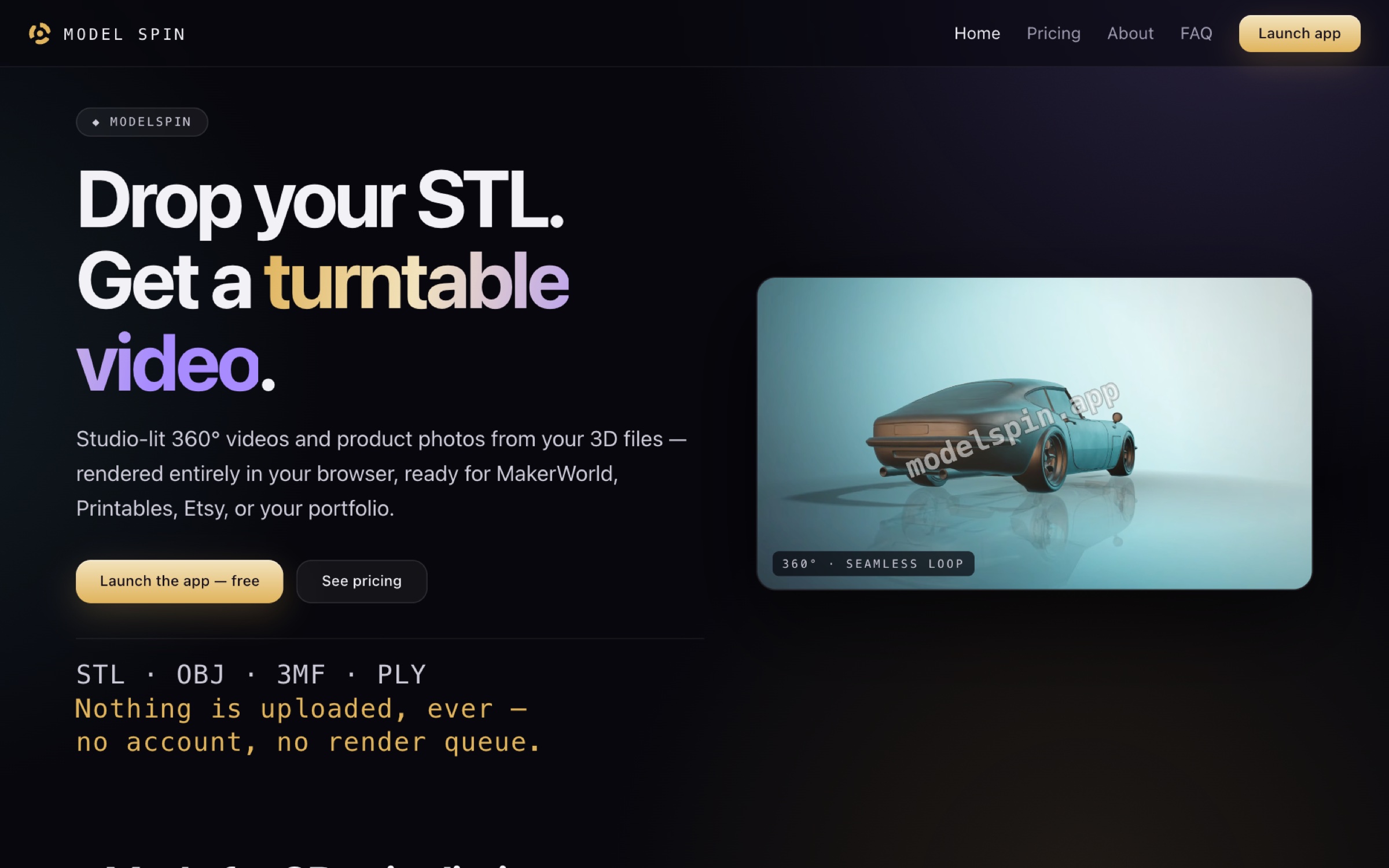
I designed and built ModelSpin, a browser app that turns a 3D model into a studio-lit 360° video for a product listing, without uploading the file anywhere.
Try it at modelspin.app- Role
- Designer and builder, solo, with AI
- Organization
- Independent
- When
- Jun 2026 to now, live at modelspin.app
- Platform
- Web app (React, three.js), marketing site, licensing service
In short
- 01Makers who sell 3D prints film them on a printed turntable with a phone, just to get a spinning video for a listing.
- 02I designed and built a browser app that does it from the model file: drop it in, pick a look, download a seamless loop in the size the listing wants.
- 03Two rules shaped it: your files never leave your device, and the render should look like the print you'll actually ship.
- problem framing
- design research · award-winning dark sites
- interaction design
- visual and brand design
- building with AI · Claude Code
- pricing and licensing
01Problem
A spinning video shouldn't need a camera rig
People who sell 3D-printed designs on sites like MakerWorld, Printables and Etsy need a good spinning video for each listing. Many print a physical turntable, rig lights and film the print on a phone.
I wanted to replace that whole ritual with a browser tab: drop the file, pick a look, download the loop.
02Constraints
Your files stay yours, and the render stays honest
Unreleased designs are valuable, so nothing is uploaded. Loading, rendering, recording and video encoding all happen inside the tab. The only request the app makes for you is checking a license key, never your geometry.
The second rule was honesty over gloss. Real 0.2 mm layer lines, true-scale reference props like a card or an AA battery, and physically based light. A listing should look like the thing that ships, not a finish the print could never match.
03The app
Drop a file, pick a look, record the loop
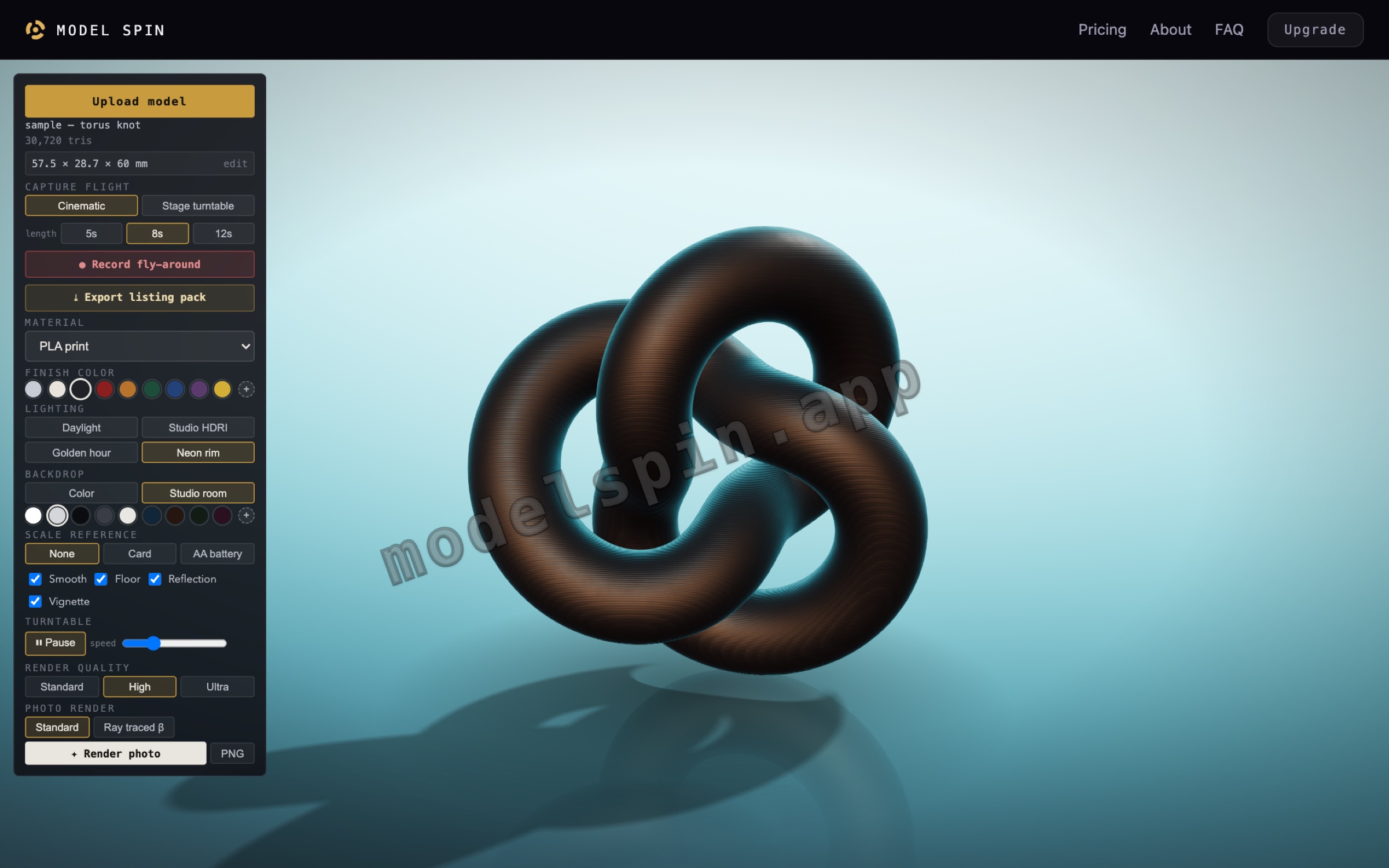
It reads STL, OBJ, 3MF and PLY, including Bambu Studio project files, with modifier parts stripped out. Materials, finish colours, four lighting environments and a backdrop are all one click apart, and a sample model loads first so the stage is never empty.
The camera records exactly the framing you parked, as either a level turntable or a cinematic rise-and-return. Both are seamless loops, because these videos autoplay on listing pages and the seam is the frame people see most. Videos export as MP4 or WebM in five aspect ratios, including MakerWorld's, plus ray-traced photos for the cover image.
04Directions
Four versions of the site in two days
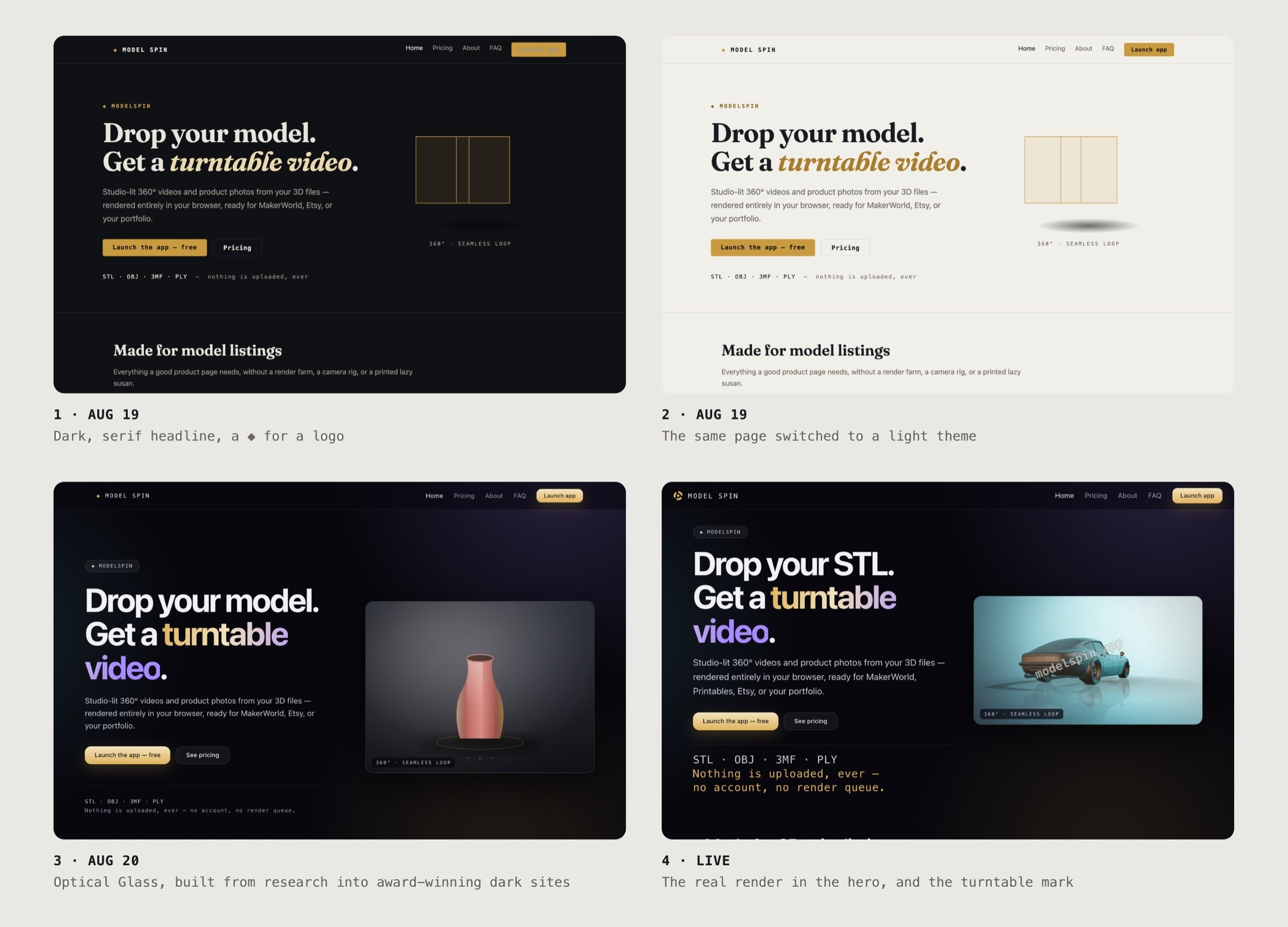
The first site was dark, with a serif headline and a ◆ where a logo would go. The same day I switched it to a light theme, which meant adding a darker brass for small text so it still passed contrast.
Neither felt like the product. So I studied current award-winning dark sites, reading their real stylesheets rather than eyeballing screenshots, and built a token system from it I called Optical Glass: a violet-tinted grey ramp, glass panels, grain and soft key lights, contrast checked against the composited backgrounds.
The last step was taking my own advice on honesty. The hero showed an illustrated vase while the real output sat lower on the page, so the vase came out and the hero now plays an actual render.
05Phone
The first action first
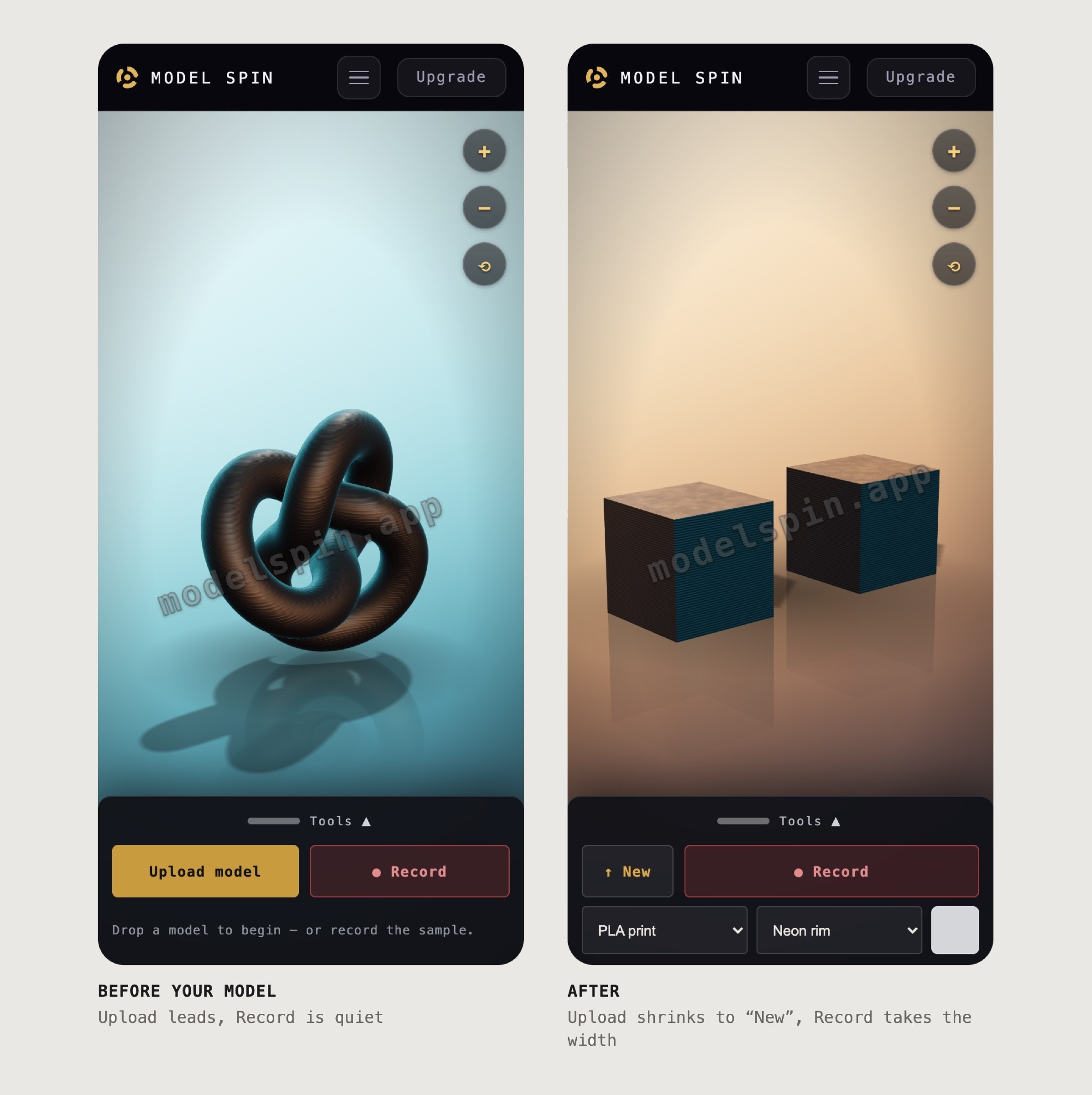
On a phone the tools move into a bottom sheet. At first Upload was buried in the drawer, behind a handle, which is a strange place for the one action the app can't start without.
So the closed sheet carries both main actions, and which one leads depends on where you are. Before you bring a model, Upload is gold and full width. After, it shrinks to an icon and Record takes the width. The sheet follows your finger, and the drawer lost the duplicate buttons it had grown.
06Brand
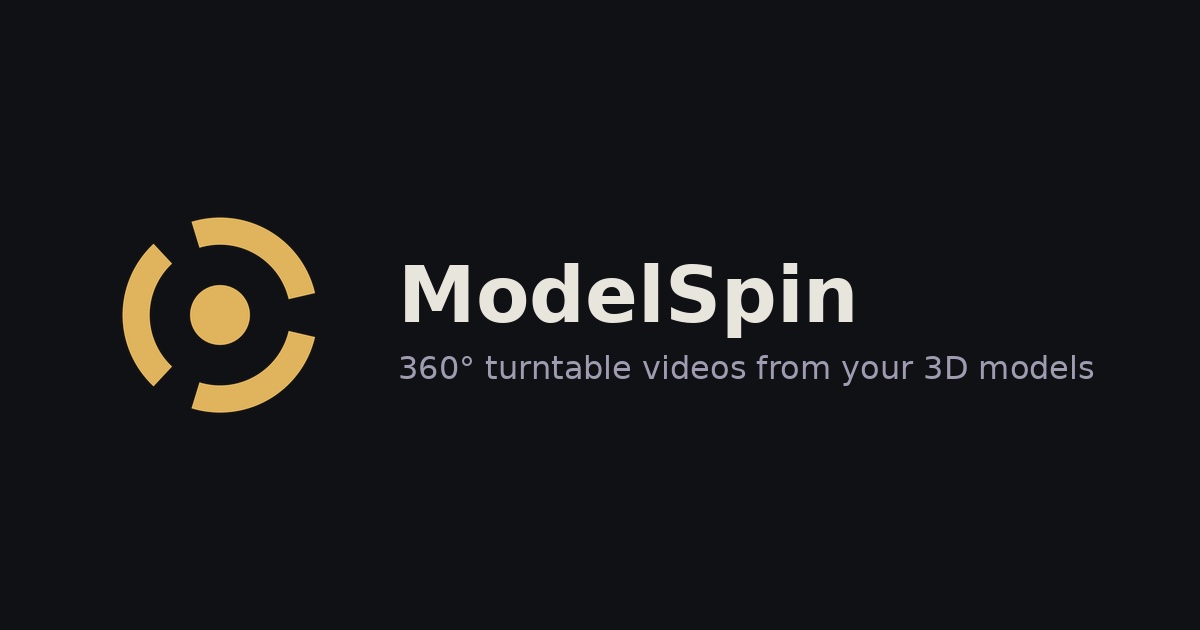
A turntable, seen from above
The ◆ placeholder became a turntable seen from above: the product in one mark, drawn as inline SVG that takes its colour from the text around it. Brass on near-black carries through the site, the app and the social card.
07Business
Free to try, paid to remove the watermark
It's free forever with a watermark. One model can be unlocked on its own, or a monthly plan unlocks everything. Payments go through Polar, and I built the licensing service myself: it mints, emails, checks and revokes its own keys.
Analytics count six steps in the funnel, from upload to checkout, without cookies or anything that identifies a person.