Case study · Honeywell Aerospace
Imagining the cockpit of the future at Honeywell
Our team made Honeywell Aerospace's concept film of a connected cockpit, from storyboards to motion graphics.
- Role
- Designer, Honeywell User Experience (HUE)
- Organization
- Honeywell Aerospace
- Platform
- Concept film: cockpit displays, mobile, wearables and the control tower
In short
- 01Honeywell Aerospace wanted a film for PAC Week that showed what a connected flight could feel like, with the cockpit at its center.
- 02We built the After Effects comps scene by scene: the phone app, incoming calls, HUD overlays and the flight information map.
- 03The week produced "A Vision for Connected Experiences", a concept film cut daily through the week. It was a vision piece, not a product.
- storyboarding
- interaction concepts · touch, gesture, video calls, smart glasses
- 3D cockpit model and renders
- motion design · After Effects, scenes 1, 11, 16–17 and 22–24
- concept film
01Opportunity
A film about one flight and everyone around it
For Honeywell Aerospace's PAC Week, our team in Honeywell User Experience (HUE) made a concept film called "A Vision for Connected Experiences".
It follows one business jet flight through the people who touch it: a passenger, the pilots, a maintenance tech and an air traffic controller. The cockpit sits in the middle of all of them.
The question was simple to ask and hard to show. What changes when the cockpit is connected to everyone else?
02Hypothesis
Bring the tower, flight ops and maintenance into the cockpit
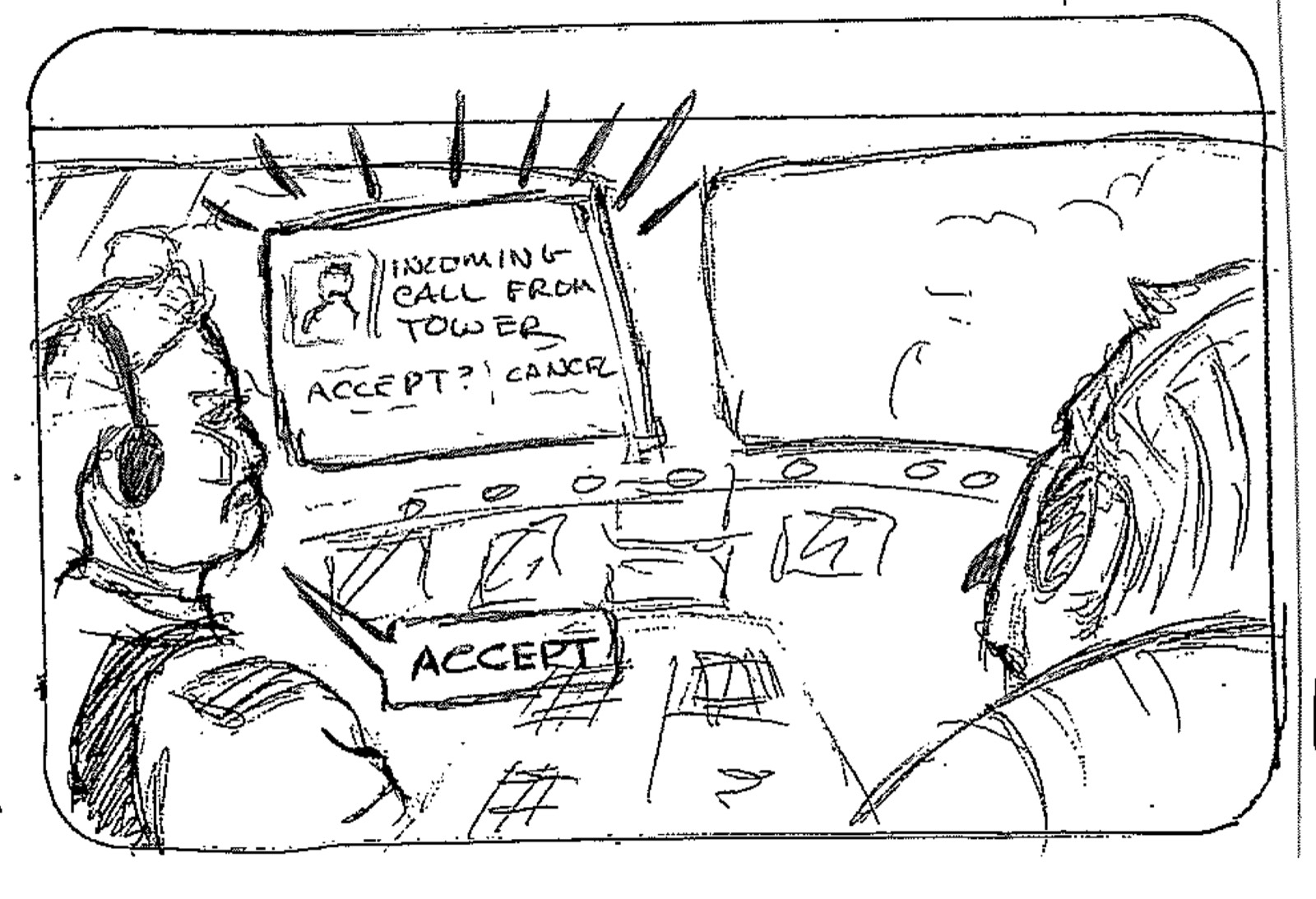
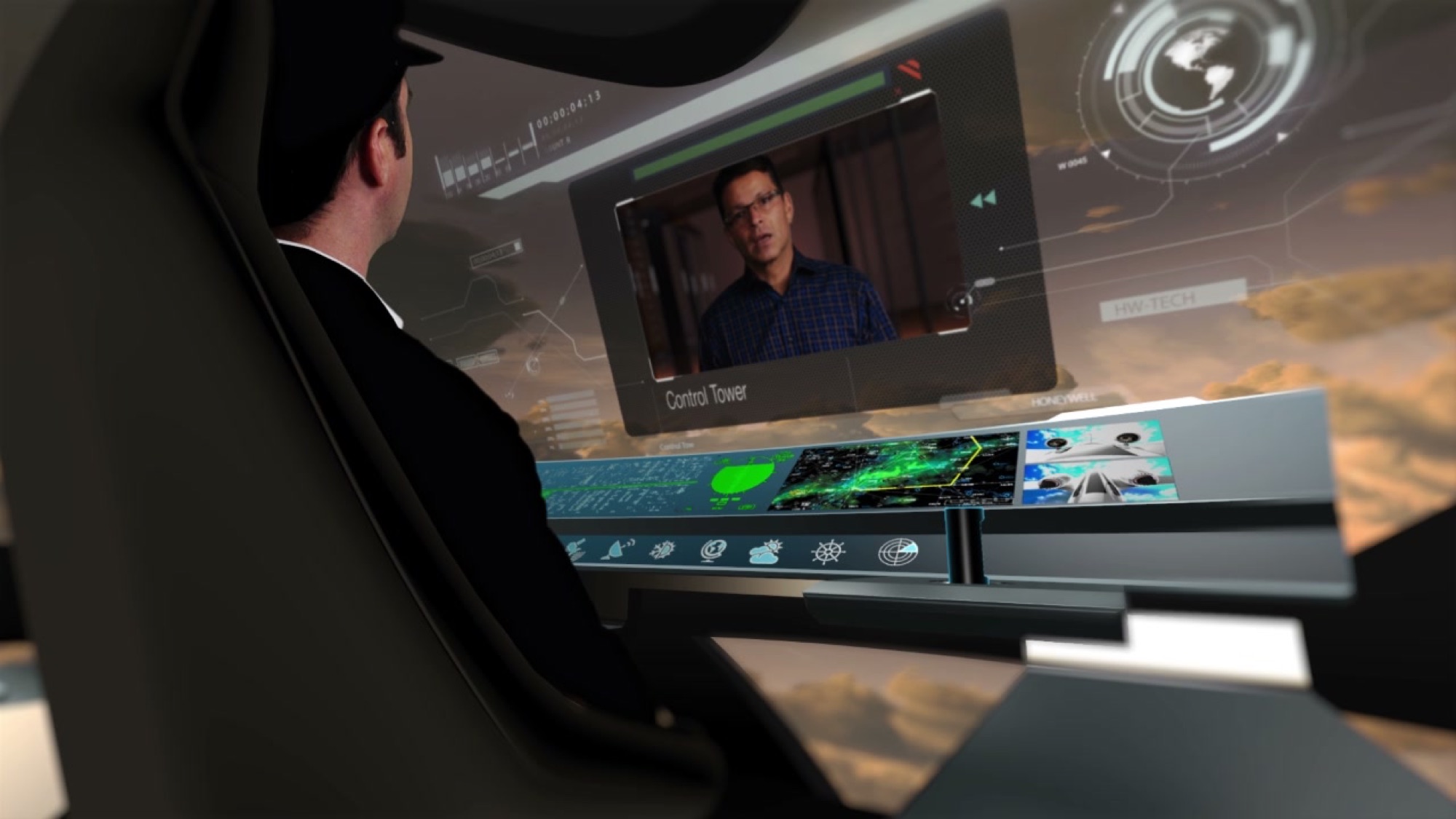
The storyboards started from conversations, not instruments. In one, a call from the tower arrives on the main display and the pilot taps Accept.
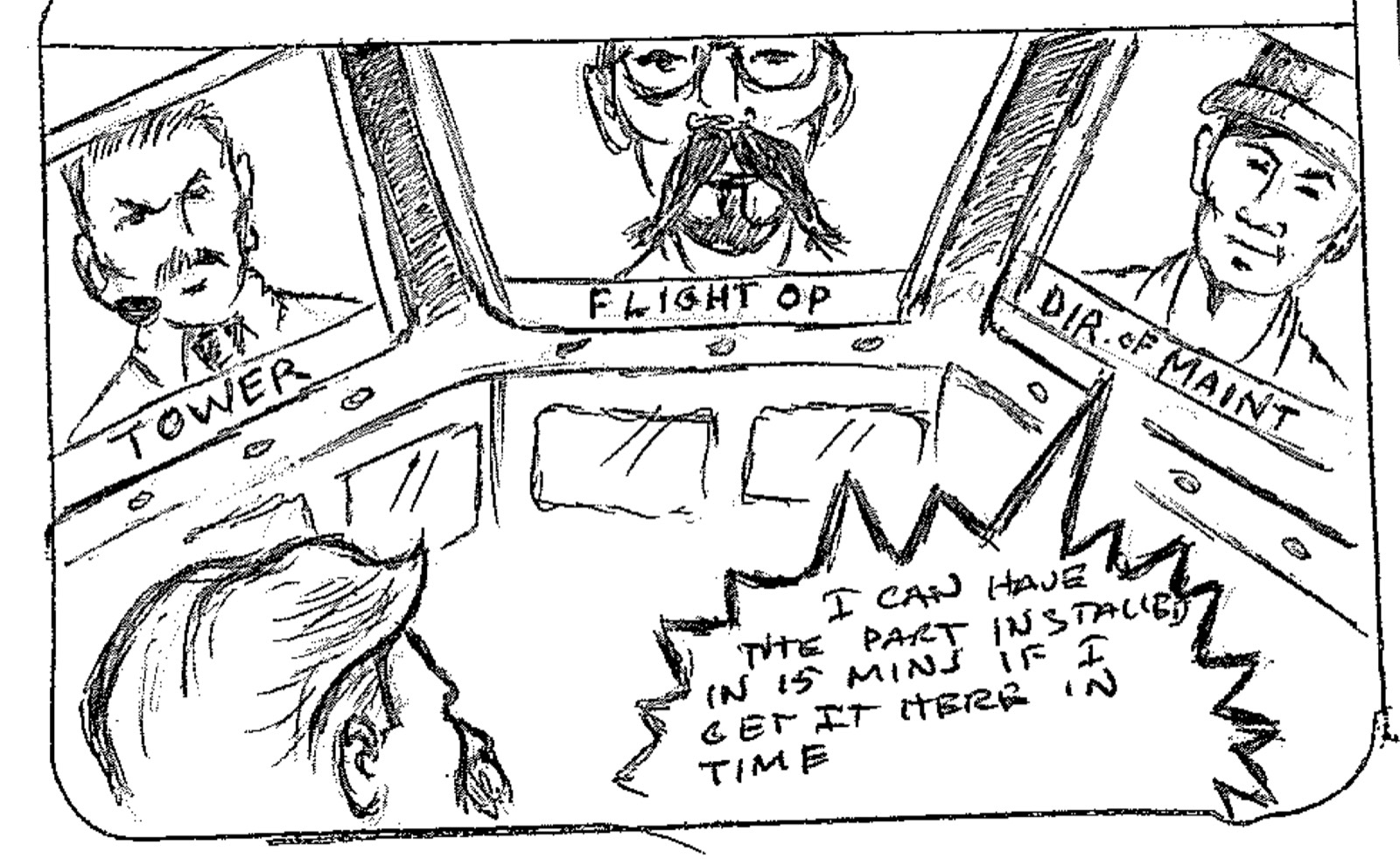
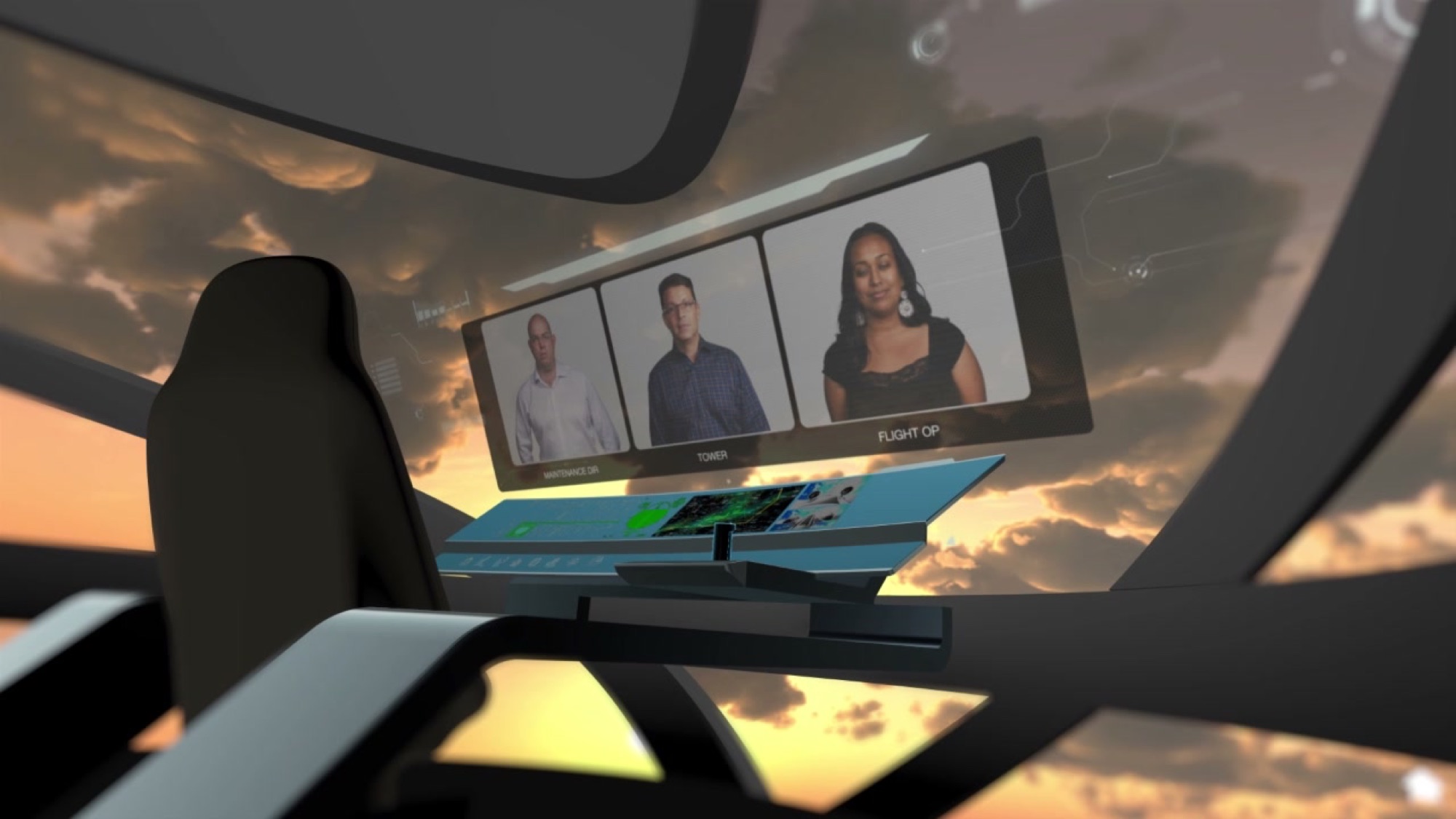
In another, the tower, flight operations and the director of maintenance share the screen at once. Maintenance says the part can be installed in 15 minutes if it arrives in time.
The bet was that a connected cockpit could put the people a pilot depends on in one view, instead of relaying messages between them.
03Experiments
Weather, calls and a curved glass flight deck
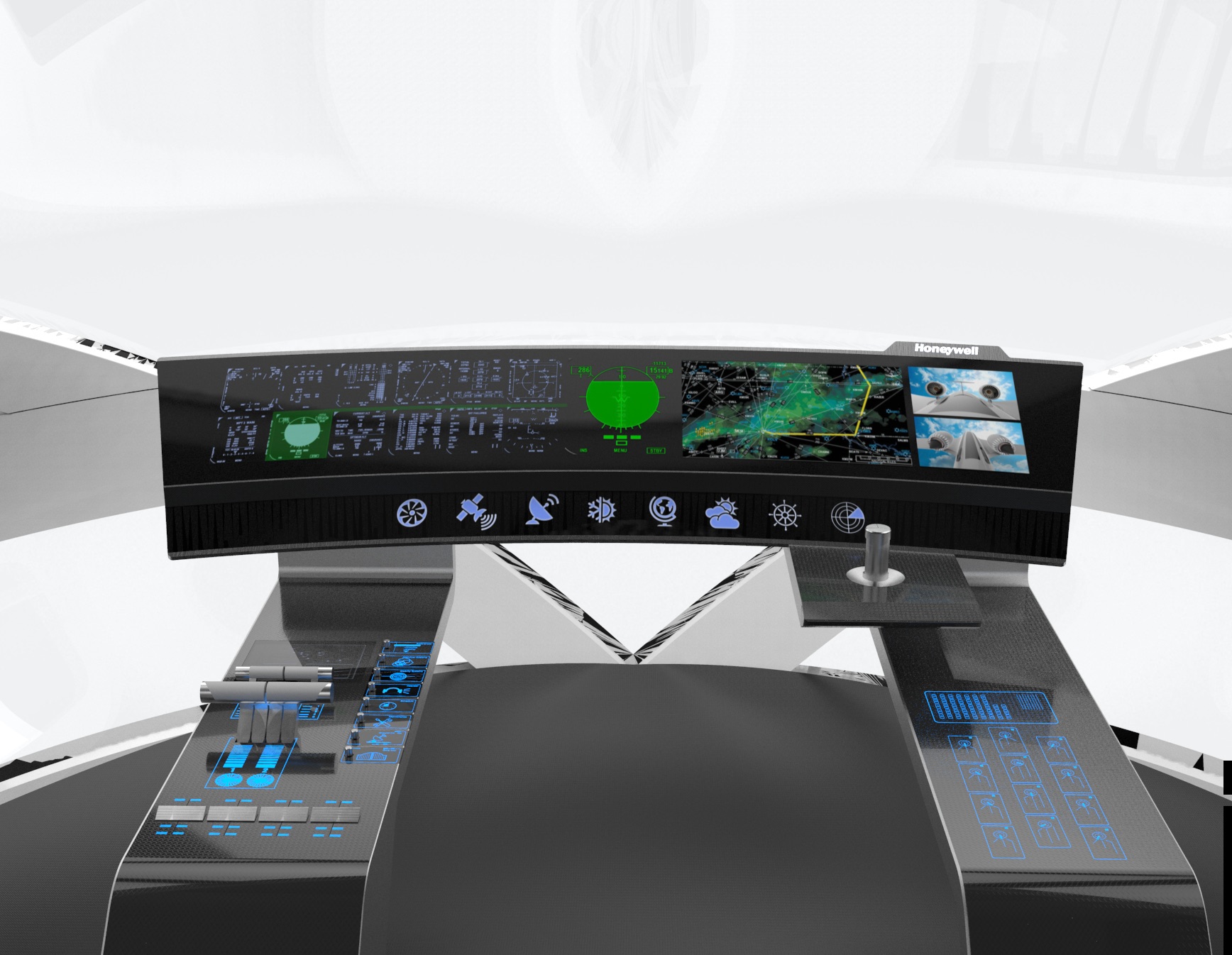
We built the cockpit as a 3D model: one curved display across the dash, a row of function icons, touch side consoles and a lower touch display. Each display got its own graphic, and the renders were composited into the film.
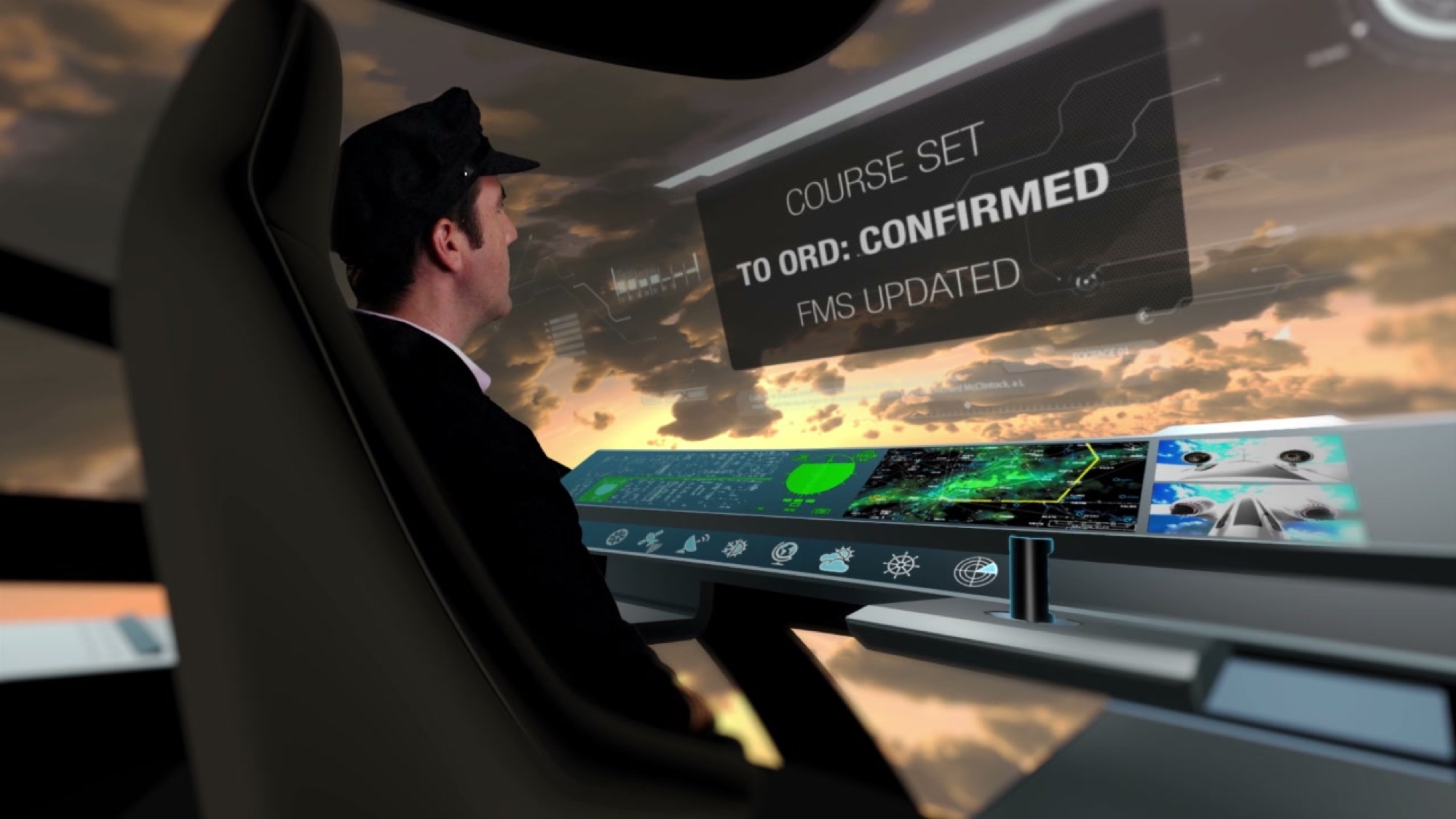
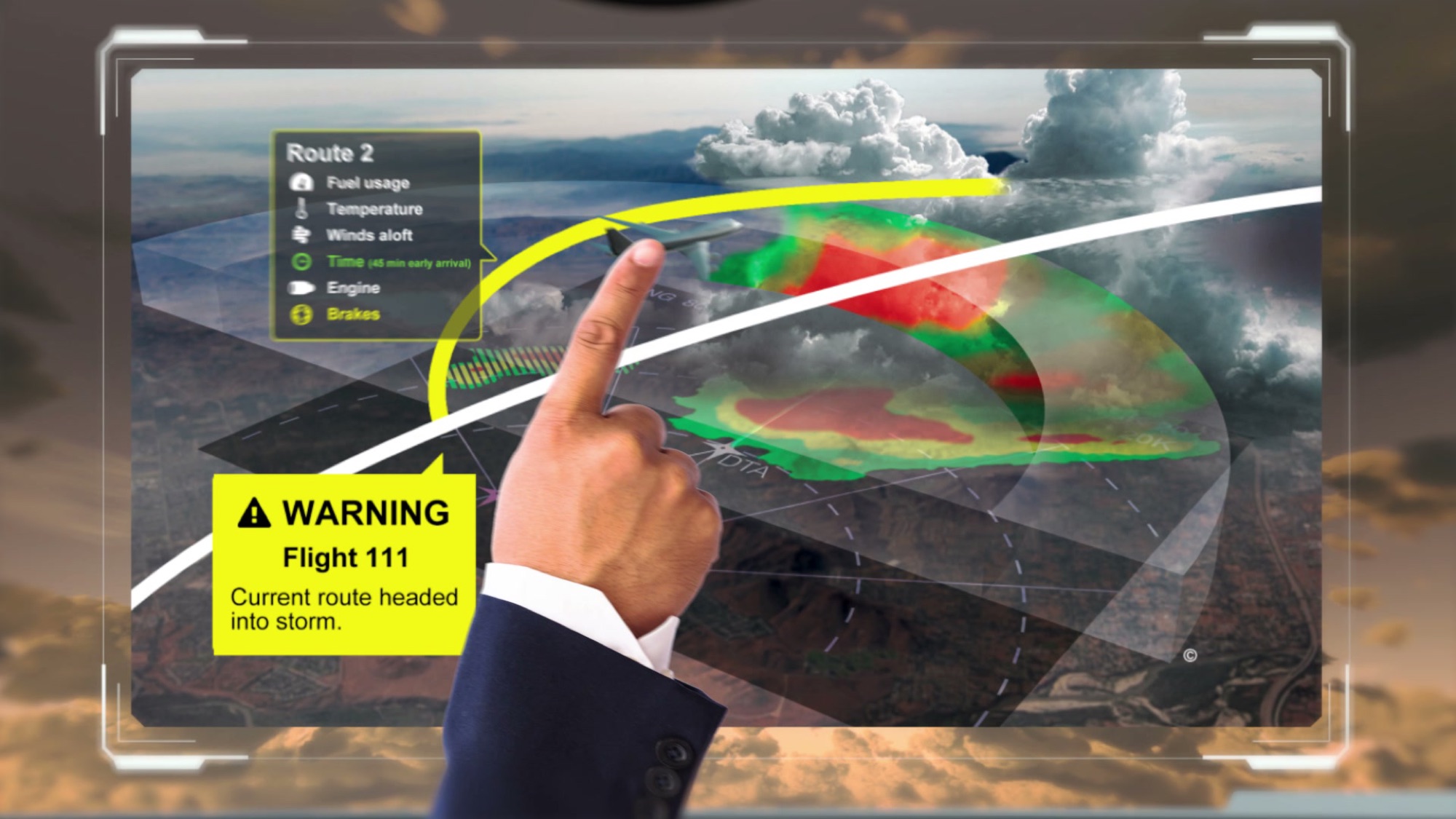
The weather scene is the heart of it. A warning says Flight 111's current route is headed into a storm. The pilot touches alternative routes, and each one shows fuel usage, temperature, winds aloft, time, engine and brakes before one is selected.
We built After Effects comps for each scene, including scenes 1, 11, 16–17 and 22–24: the passenger's phone app and incoming call, the HUD-style call overlays, and the flight information map with its alert.
04Learning
The cockpit was one part of a wider loop
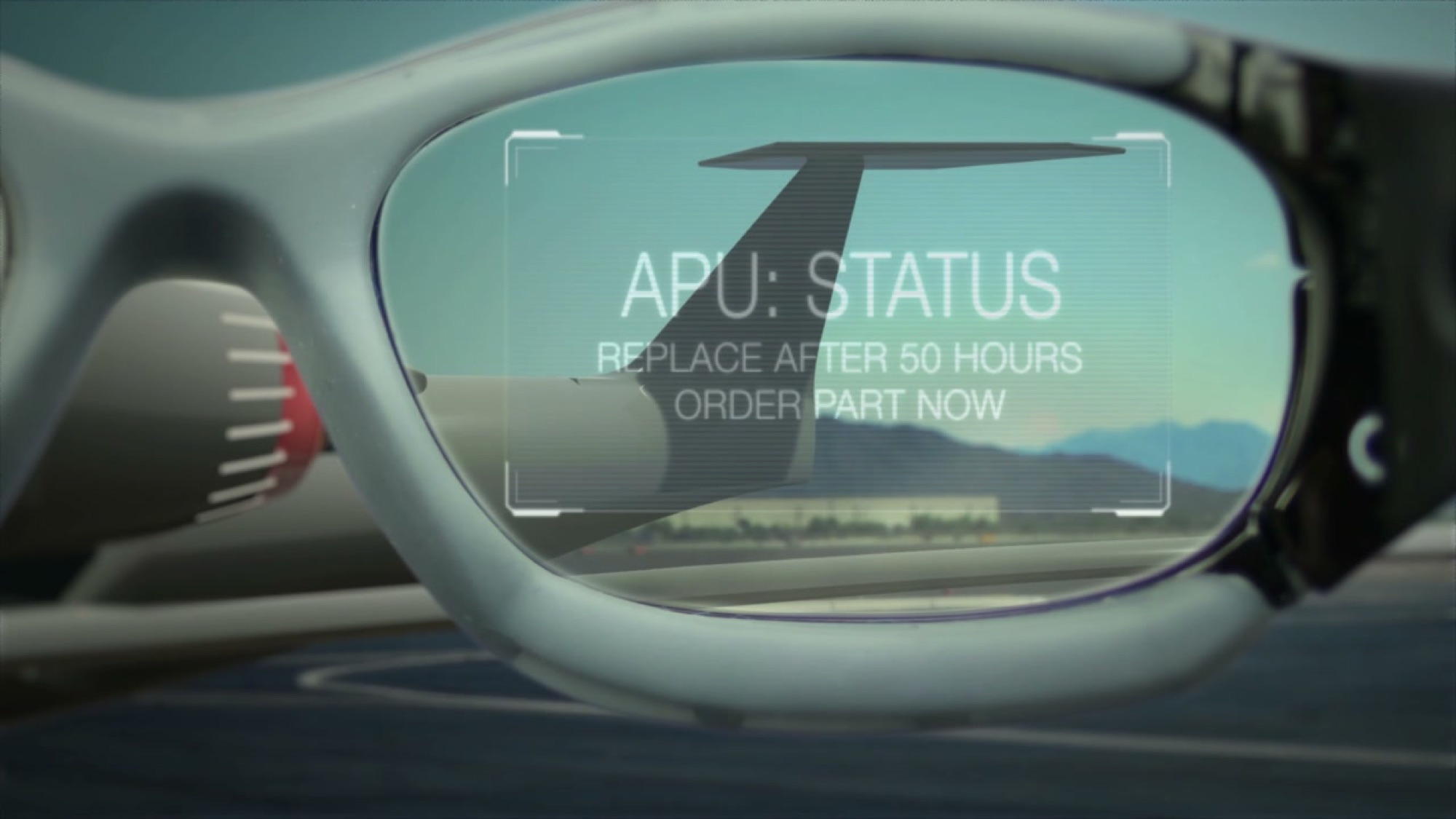
Drawing the cockpit forced us to draw everyone around it. A maintenance tech's glasses flag the auxiliary power unit: replace after 50 hours, order the part now. A moment later the part is ordered and paid for.
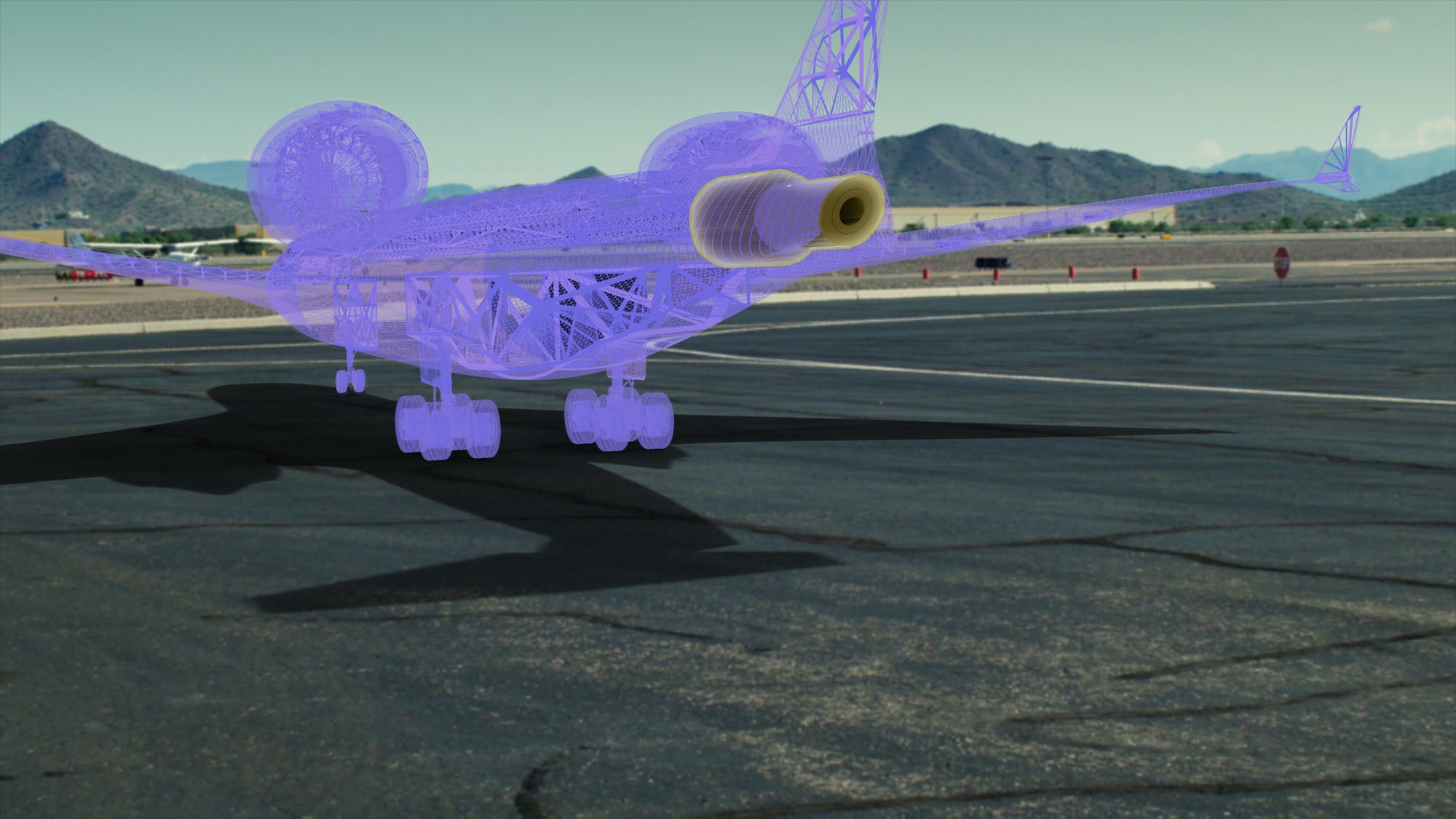
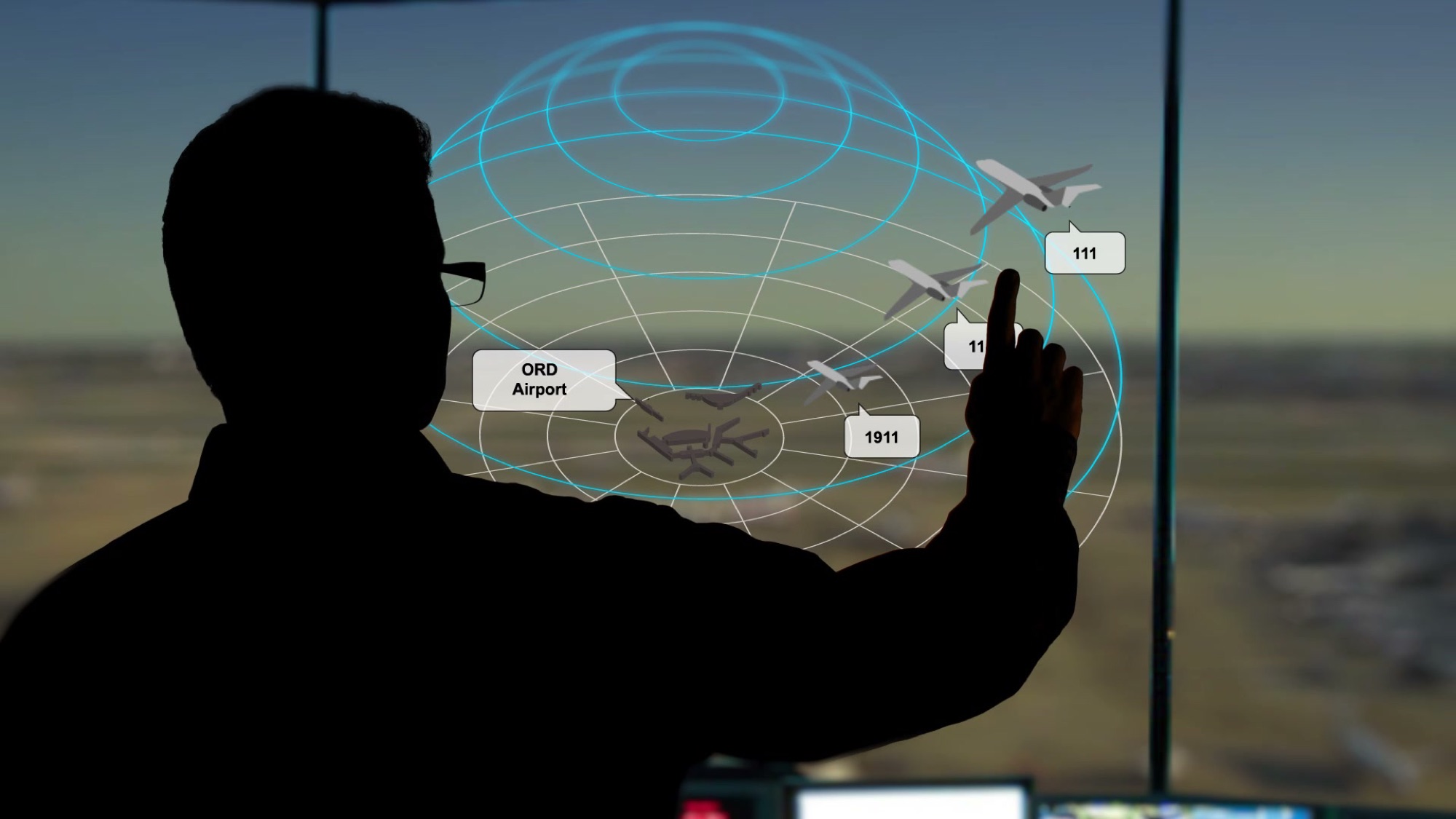
A scan shows the aircraft's structure through its skin. In the tower, a controller sweeps the storm across the windows by hand and points at flights around O'Hare.
Each of those moments feeds the same flight. The cockpit was only as useful as the information reaching it.
05Outcome
Daily cuts to a finished vision film
We cut the film daily, from a day 1 cut to the final version. Early cuts still had placeholder cards where shots weren't ready.
The result was a concept film, not a product plan. It showed Honeywell Aerospace a cockpit built around people and connections.