Case study · Independent
Turning Instagram Explore into a Spotify playlist
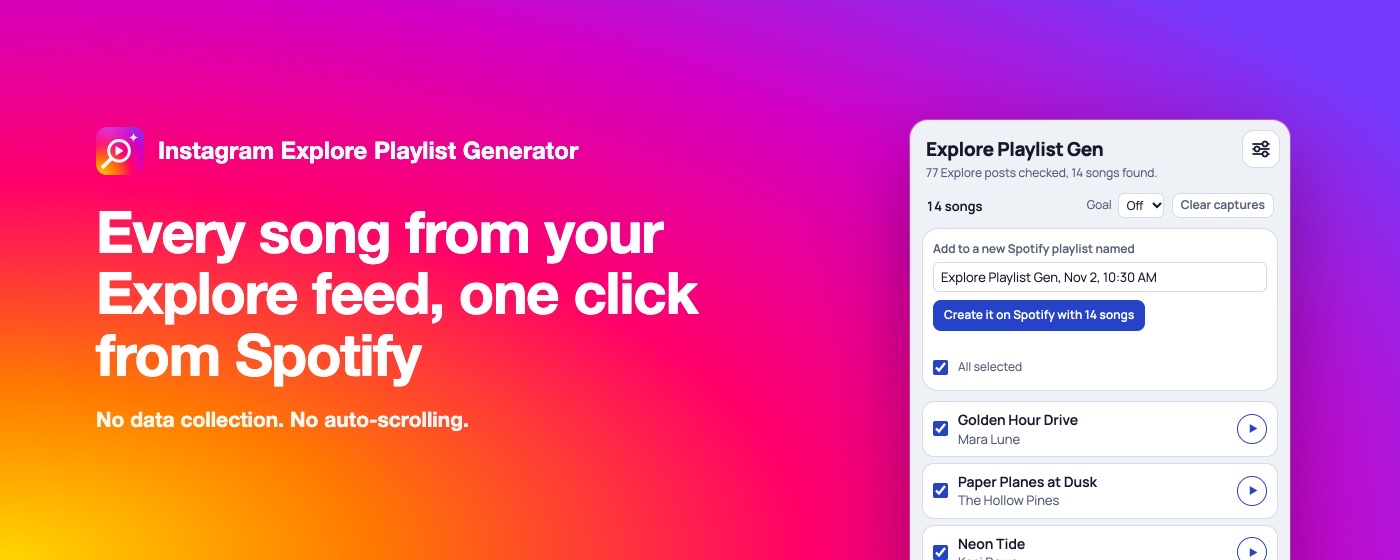
I designed and built a Chrome extension that keeps the songs I hear while scrolling Explore, and turns them into a playlist.
- Role
- Designer and builder, solo, with AI
- Organization
- Independent
- When
- Sep 2026 to now, in Chrome Web Store review
- Platform
- Chrome extension (side panel) and Spotify
In short
- 01Some of the best new music I hear is in the background of Instagram Explore posts, and by the time I've scrolled on, it's gone.
- 02I designed and built a side panel that lists those songs as I scroll, plays them in place, and sends the ones I like to Spotify.
- 03Privacy and no automation were design constraints from the start: no server, no account, no requests to Instagram, nothing done on my behalf.
- problem framing · my own
- interaction design
- prototyping
- building with AI · Claude Code
- automated browser tests
- store listing and privacy policy
01Problem
The song was gone by the time I looked for it
Explore is where I hear music I wouldn't find anywhere else. But a post plays for a few seconds, I scroll on, and finding the song again means digging back for the post and searching Spotify by hand.
I wanted the list to build itself while I scroll: nothing to tap, nothing to copy.
02Constraints
Private by design, and never acting for me
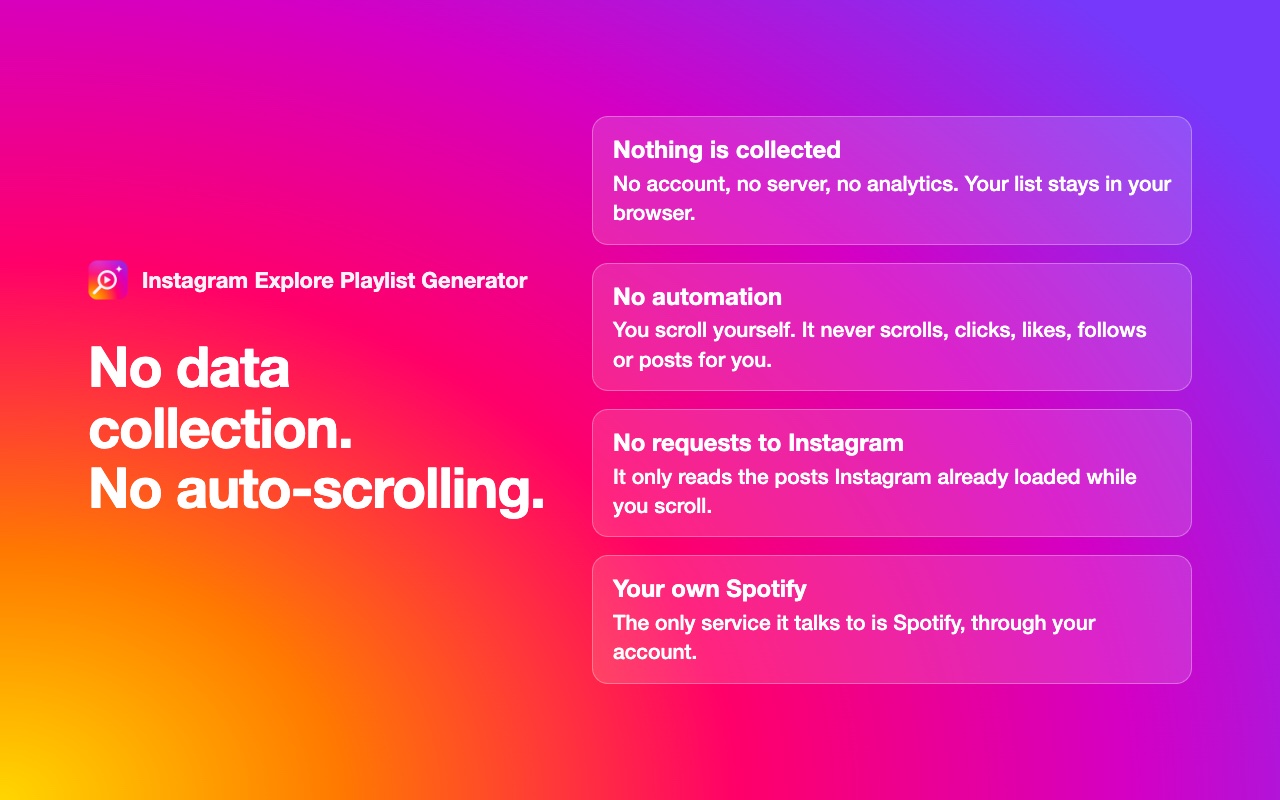
I set the rules before writing anything. No server, no account, no analytics. The list stays in the browser, and the only service it talks to is Spotify, through the person's own account.
No automation either. You scroll Explore yourself; the extension never scrolls, clicks, likes, follows or posts. It makes no requests of its own to Instagram and never asks for an Instagram login.
That ruled out the easy routes, and it shaped everything that followed.
03Capture
Reading what Instagram has already loaded
Instagram's web app already fetches post data as you scroll, and that data names the song. The extension reads those responses in the page, keeps the songs from Explore, and links each one back to its post.
The details took the most iteration. The first screen of Explore arrives inside the page itself, not as a request, so early builds missed it. Explore also loads parts of the home feed, which had to be kept out. Each fix came from my own sessions and a debug export I built into the panel.
04Listening
Play it in the panel, keep what you like
Each song is matched on Spotify, preferring the original over remixes, live versions and covers. Matching only on whole words stopped it picking "Song 1" for "Song 10".
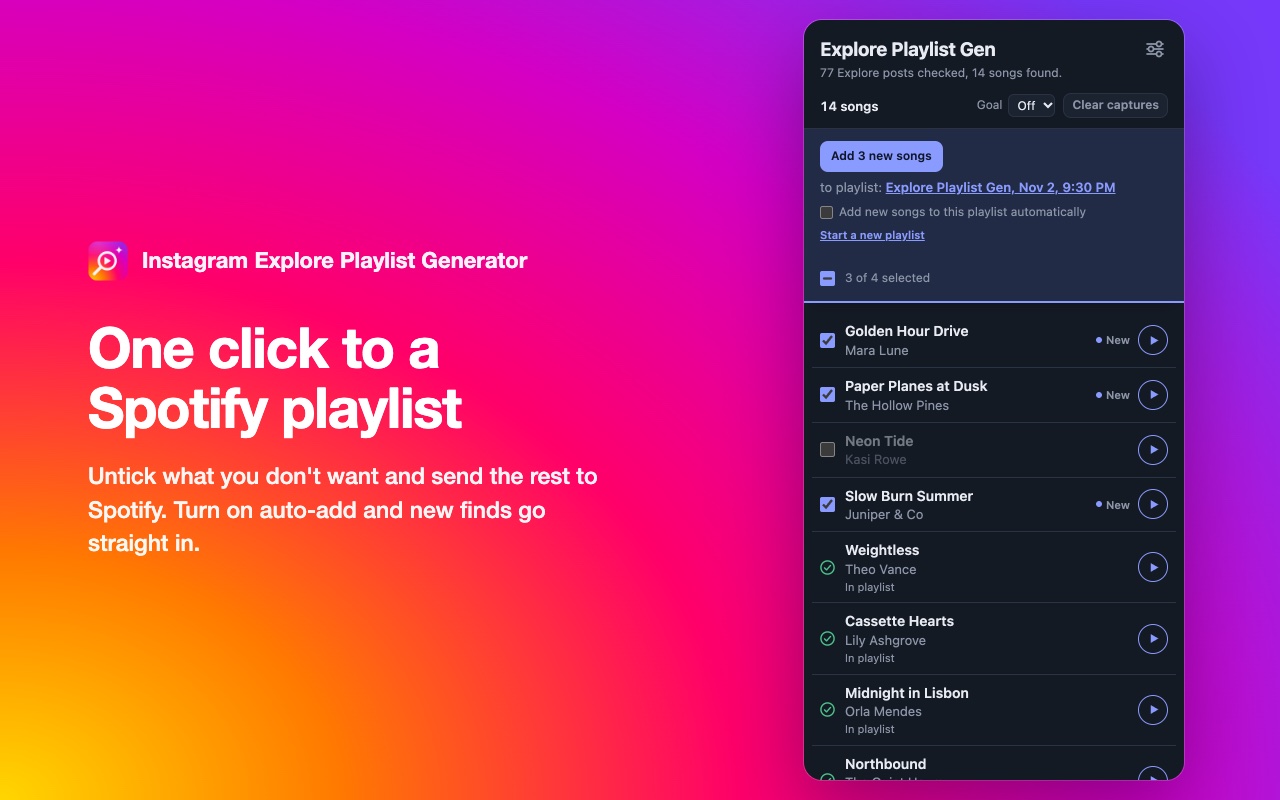
Songs play right in the panel with Spotify's own player, or in a small window that stays on top. Untick the ones you don't want and send the rest to a playlist in one click, or turn on auto-add and new finds go straight in. When Spotify doesn't have a song, the panel offers a YouTube search, just to hear it.
05Layout
The layout changed more than the colours
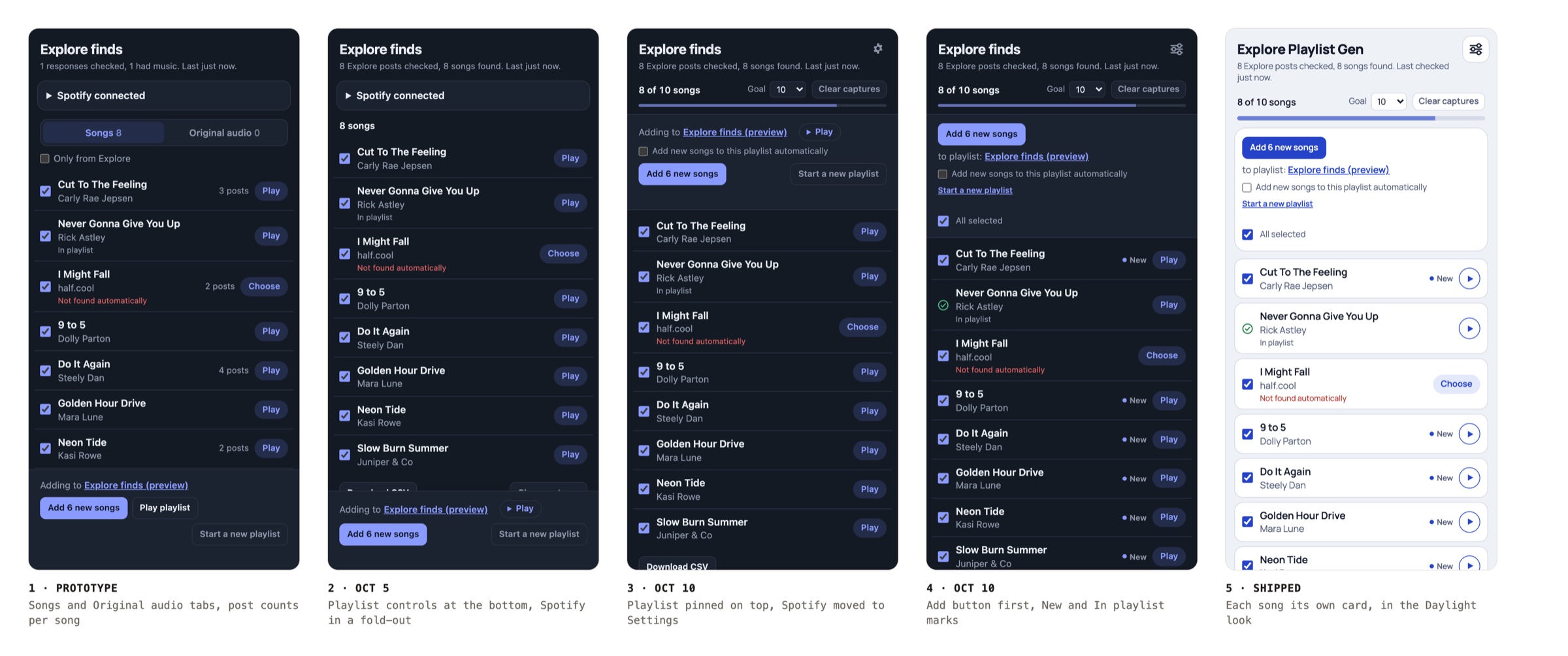
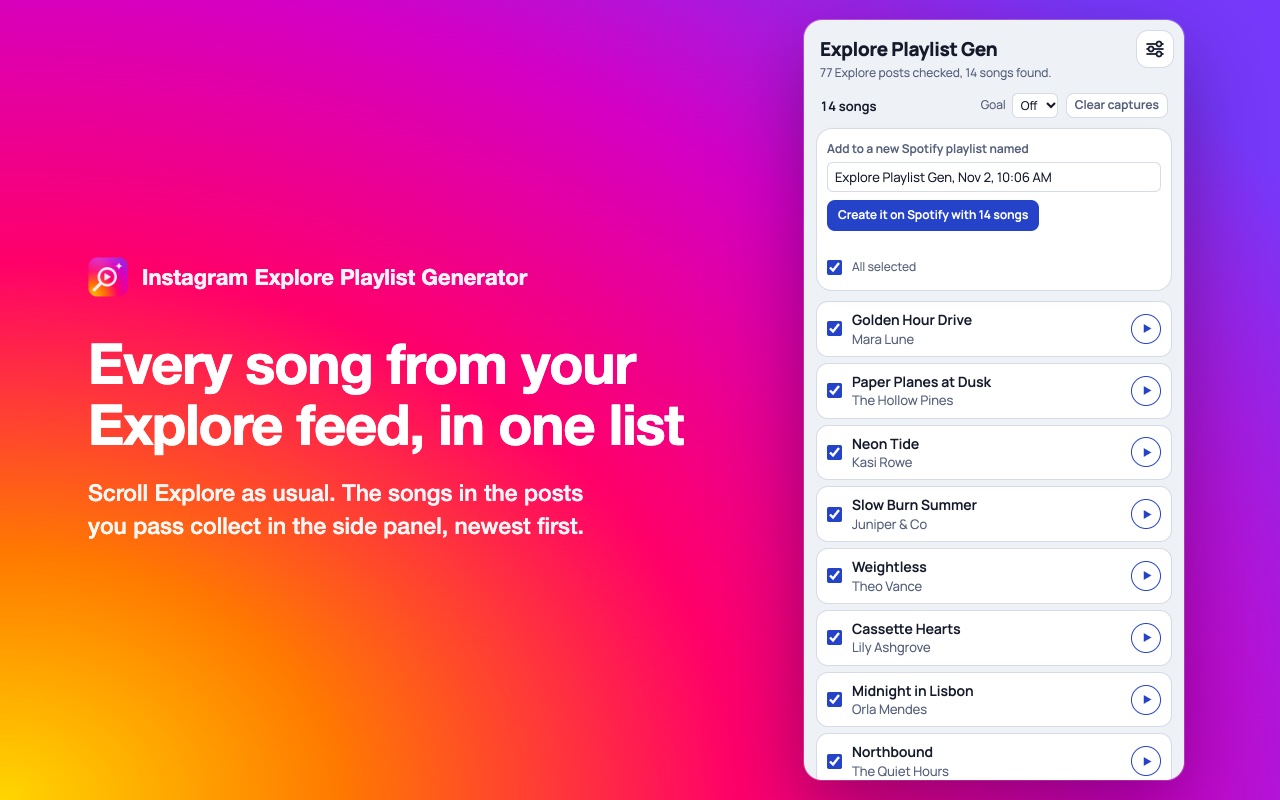
The prototype tried to show everything it heard: tabs for licensed songs and creators' original audio, a checkbox to limit it to Explore, and a count of how many posts each song turned up in. The tabs and the checkbox turned out to be noise. The rebuild kept songs from Explore only and dropped both; the post count stayed, shown only when a song turns up more than once.
That left one long list with the playlist controls at the bottom, and the Spotify connection in a fold-out at the top. Using it every day showed the next problem: the thing you act on was the furthest away. So the playlist moved to the top and stays pinned while the list scrolls, and the Spotify connection moved to its own Settings screen.
Then the playlist block was reordered around the main action, Add first, and the rows started saying what the button would do: a "New" mark on songs it would add, a green check on songs already in the playlist, and select all or none above the list.
06Directions
Then four looks for the same layout
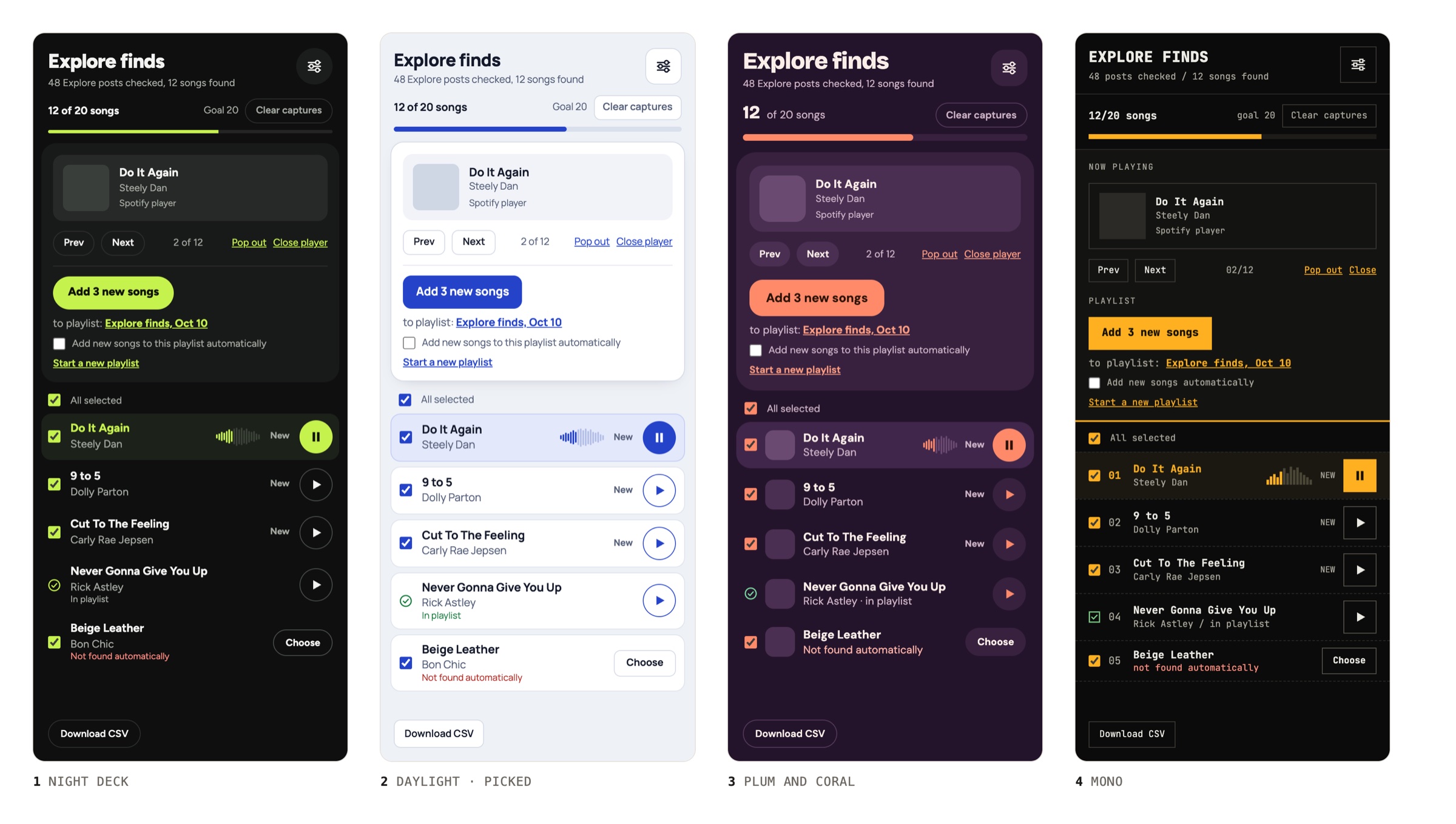
With the layout settled, I explored four looks on one canvas, each with the same songs and controls so only the styling changed: Night Deck, Daylight, Plum and Coral, and Mono.
This round was about type, colour and shape: corner radii, how the player sits, and whether each song is a row or its own card.
07Where it landed
Daylight shipped, and navy stayed as the dark theme
I picked Daylight: a cool grey ground, white cards, a cobalt accent and Manrope. It changed shapes as well as colours. The player and playlist sit in a white card, and each song is its own bordered card.
The navy look stayed on as the dark theme. Settings offers Light, Dark, or follow the system, which is the default.
08Setup
Designing around Spotify's limits
Spotify only lets a developer app have five users, so a shared app couldn't work for anyone else. Each person makes their own free Spotify app instead.
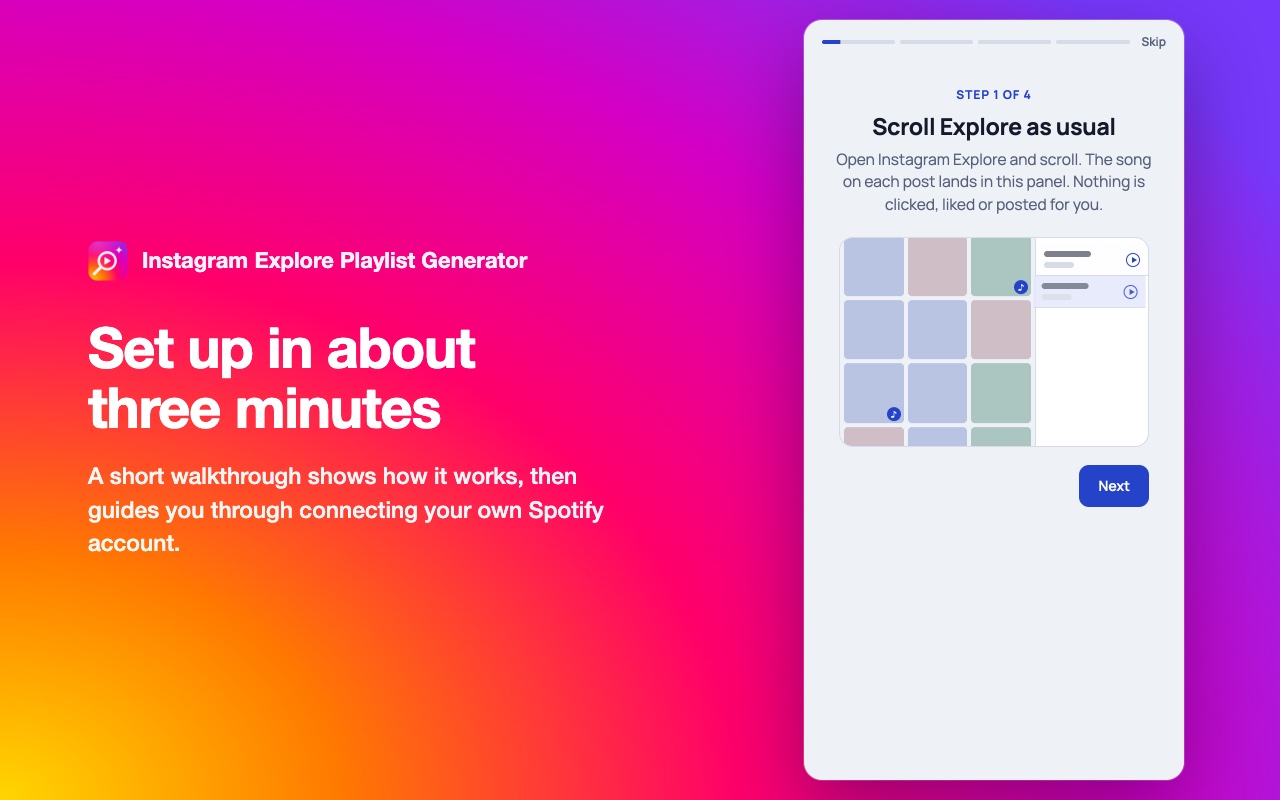
That's a developer task, so I turned it into a short guided walkthrough. The extension fills in Spotify's form for you and reads back the details it needs. It never accepts Spotify's terms or saves the form on your behalf.
09Where it stands
Public on GitHub, waiting on the Chrome Web Store
The code is public, with a privacy policy that says exactly what's stored and where. A store build is submitted and waiting on review.
I designed it, built it with AI, wrote the tests that drive a real Chrome, and wrote the listing. It's the kind of product loop I like to stay close to: notice a small frustration, set the constraints, ship something real.