Case study · VoiceBox Technologies
Talking to cars
At VoiceBox our Voice UX/AI team designed the voice flows for the in-car assistant of Atieva, now Lucid Motors: climate, drive settings, and what happens when the car doesn't understand.
- Role
- Voice interaction designer, Voice UX/AI team
- Organization
- VoiceBox Technologies
- Client
- Atieva (now Lucid Motors)
- Platform
- In-car voice assistant across the instrument cluster and center display
In short
- 01Atieva, now Lucid Motors, wanted drivers to control the car by voice: say a wake word, then the request.
- 02Our Voice UX/AI team drew the voice flows: climate, drive settings, general questions and the system's own error handling.
- 03The work produced a set of draft flows with one shared decision pattern, a map of where answers appear on screen, and open questions for the client.
- voice user interface flows · draw.io
- conversation and TTS response writing
- screen mapping · addressable screen model
- error and recovery design
- open questions to the client
01Opportunity
Voice in the car has to know where its answers go
At VoiceBox, we worked on a voice assistant for Atieva's car. The driver wakes it by saying a keyword, then asks for what they need.
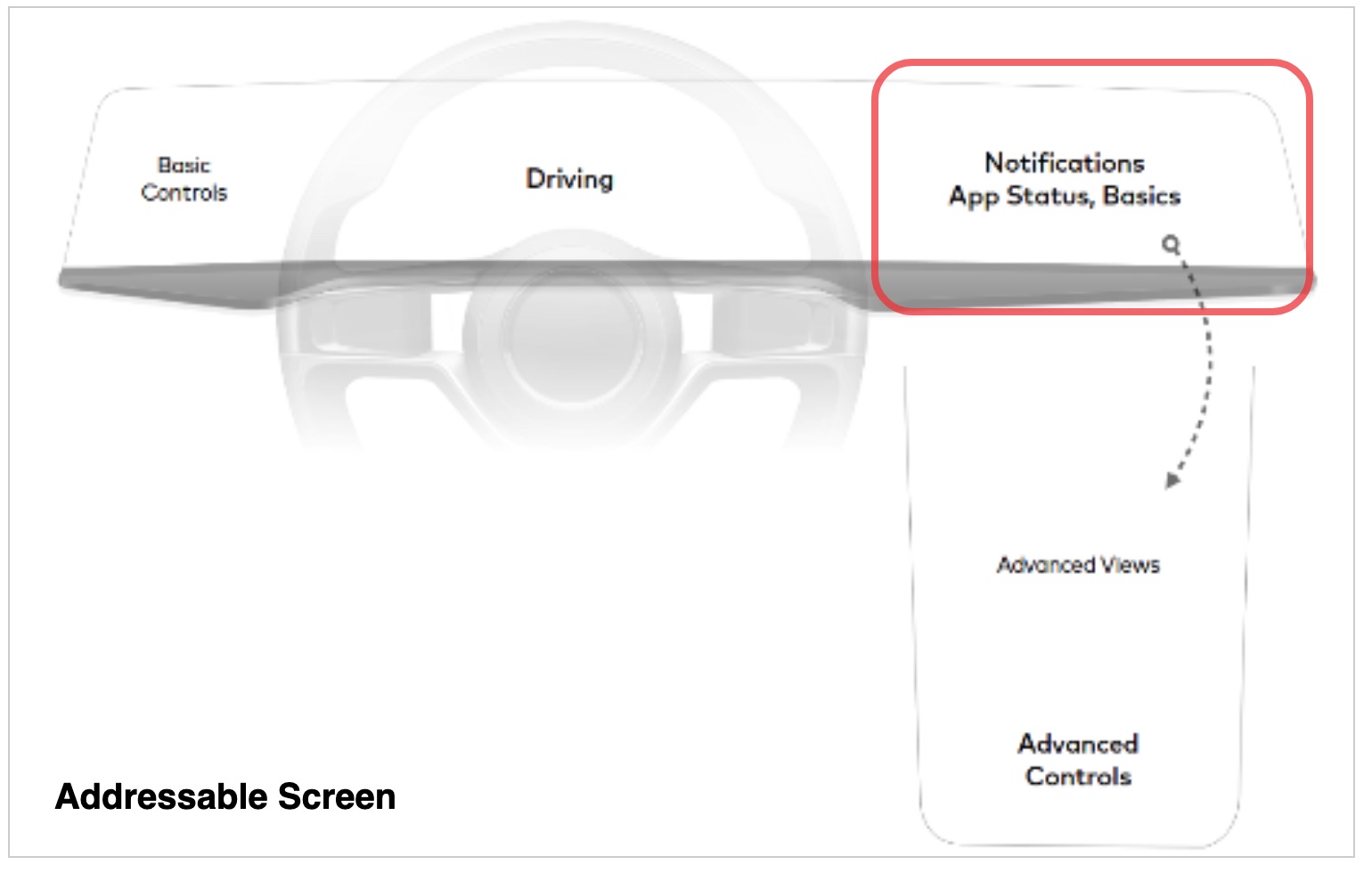
Some answers belong in a spoken sentence. Others belong on a screen the driver can glance at.
So every flow we drew starts with a map of the car's screens: basic controls, the driving view and notifications across the cluster, and advanced views and controls on the center display.
02Hypothesis
One decision pattern could carry every car control
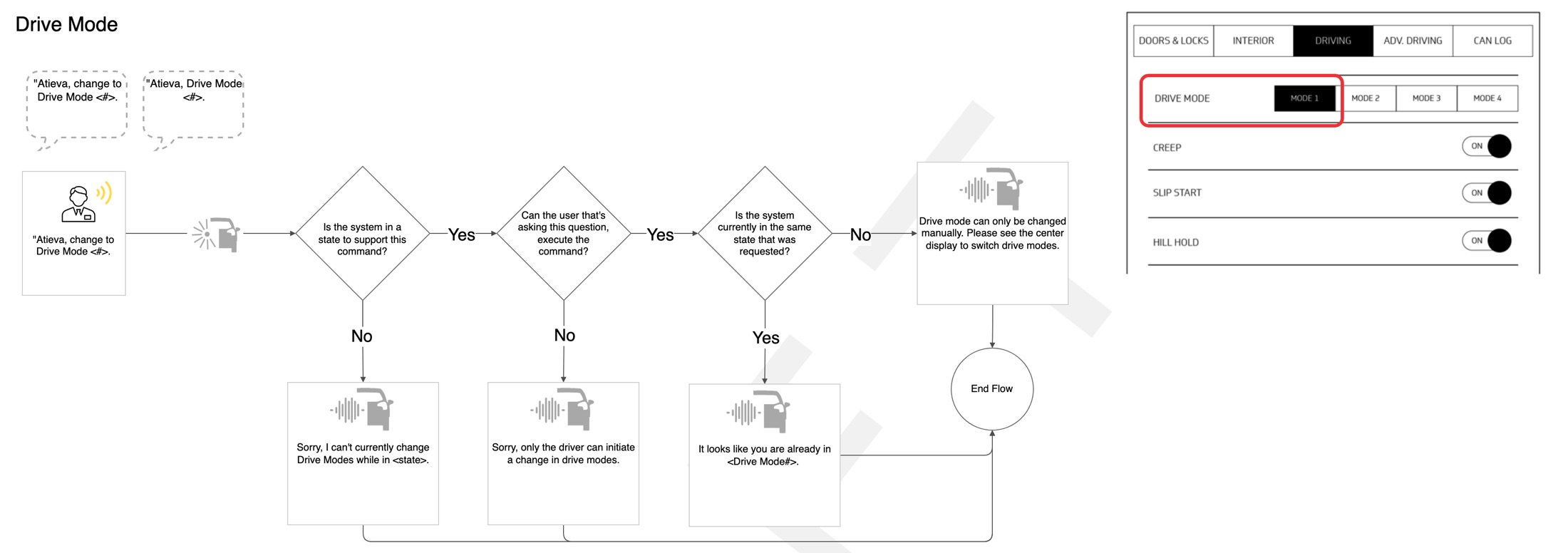
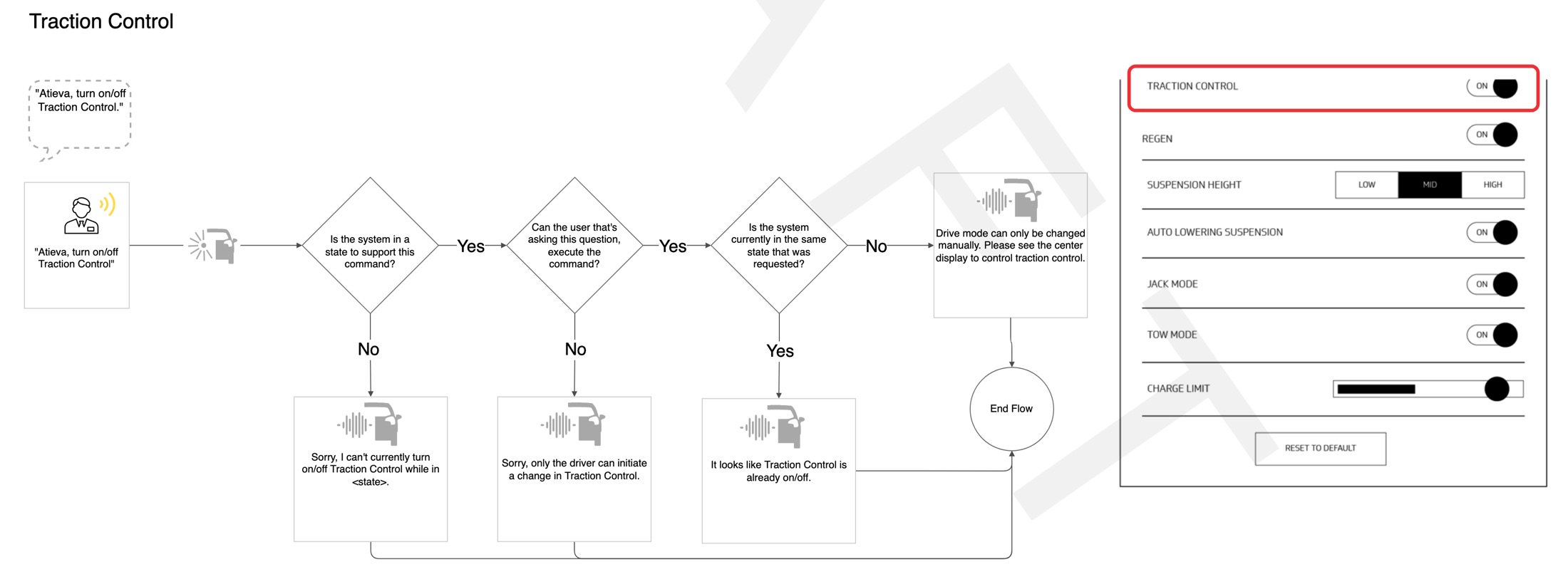
We bet that one pattern could handle every command that changes the car. Before acting, the system asks three questions. Can the car do this right now? Is the person asking allowed to do it? Is it already done?
Each answer has its own short response. "Sorry, only the driver can initiate a change in drive modes." "It looks like Creep is already on." The pattern repeats for drive mode, creep, slip start, hill hold, traction control and regen.
Some settings stay off-limits to voice even when every answer is yes. For drive settings the assistant says they can only be changed manually and points the driver to the center display.
03Experiments
Climate control showed where people and specs disagree
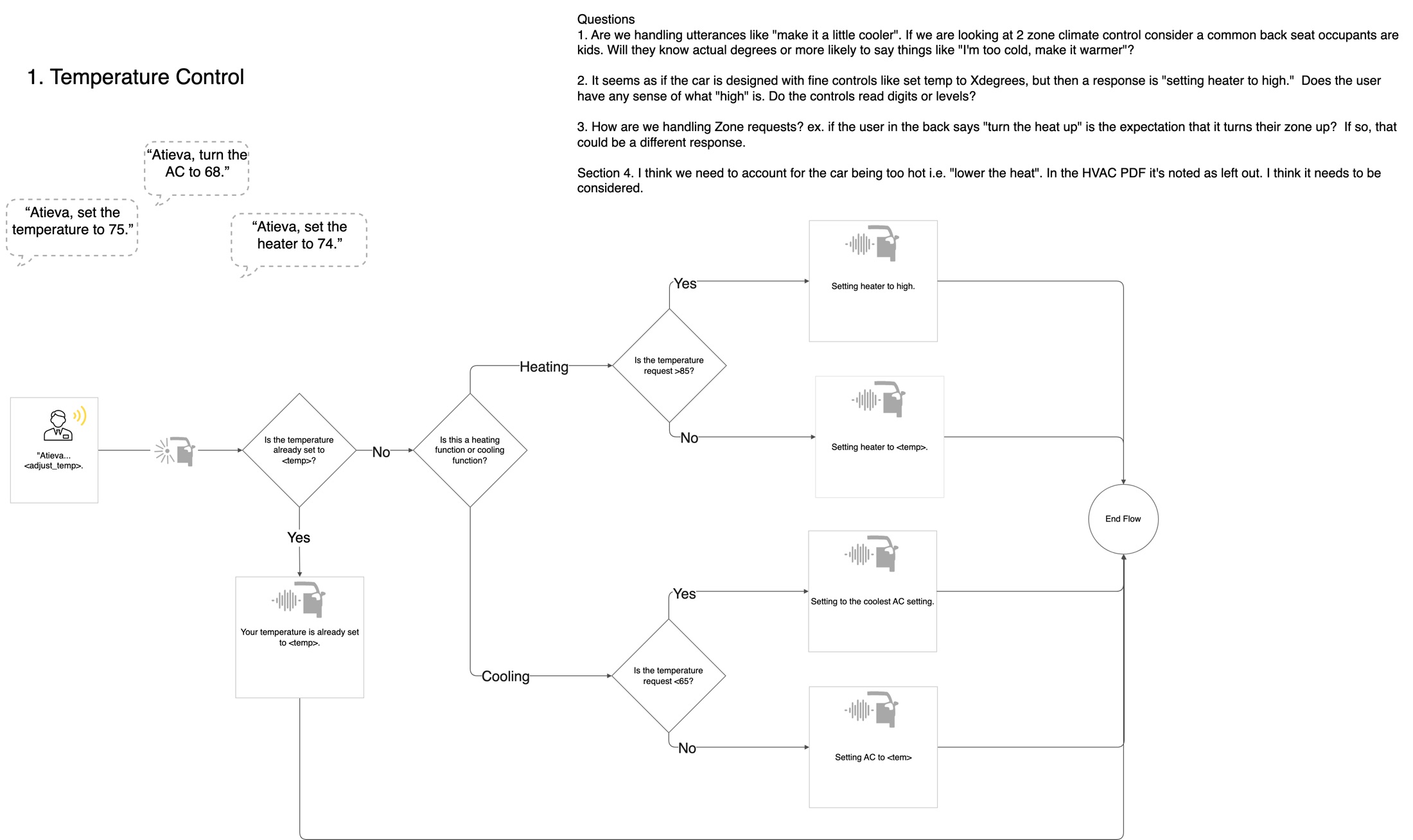
Climate was the first domain we drew in detail: set a temperature, heater on, off and max, AC on, off and max, and toggled controls like rear defrost.
The spec worked in exact degrees. Above 85 the heater goes to high, below 65 the AC goes to its coolest setting. Off and on get a short sound, an earcon, as well as words.
Drawing it raised questions we put to Atieva. Will people say "make it a little cooler" instead of a number? Will kids in the back seat know degrees? If someone in the back says "turn the heat up", is that their zone? Does anyone know what "high" means? The spec also had no case for a car that's too hot, like "lower the heat".
04Learning
Most of the design is what happens when it goes wrong
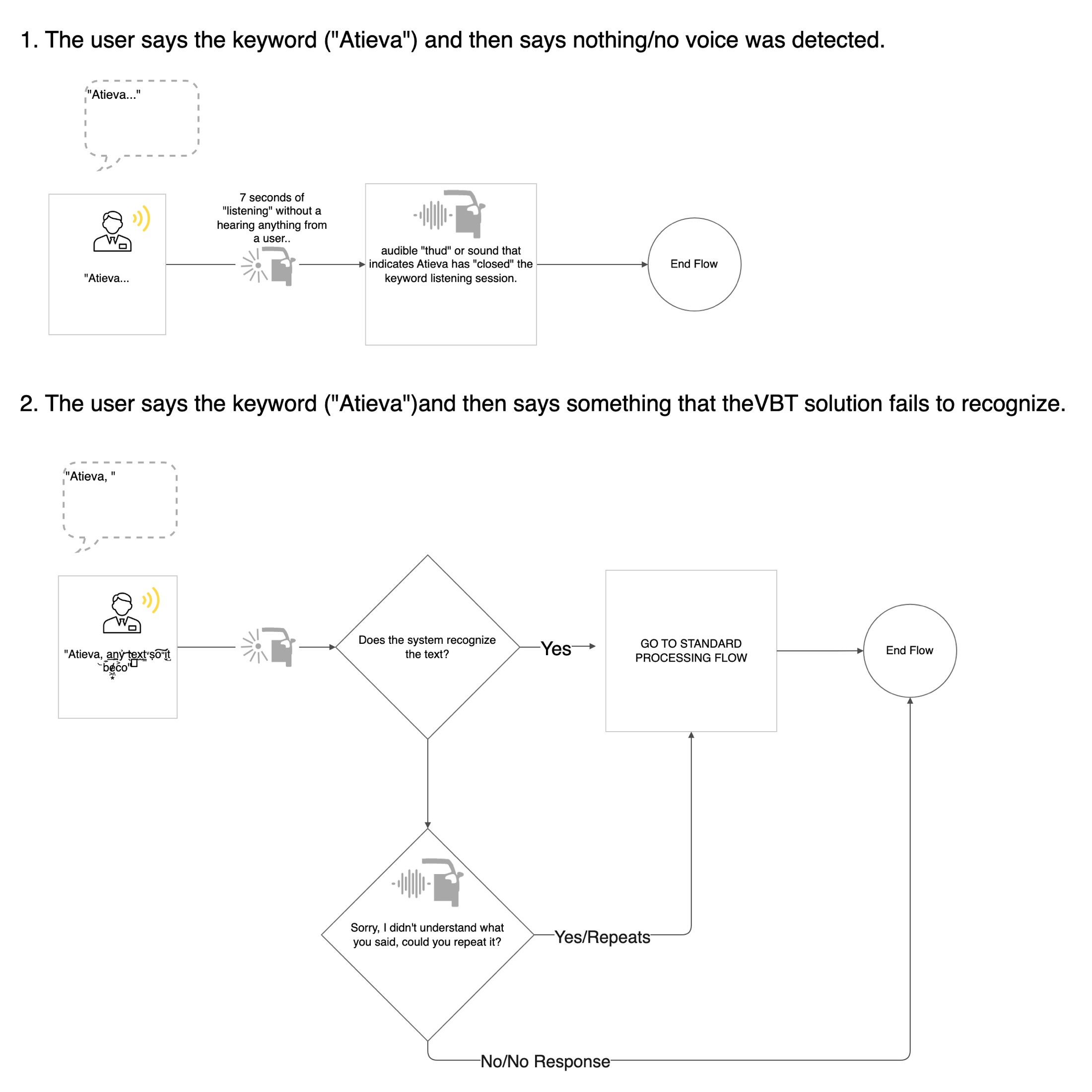
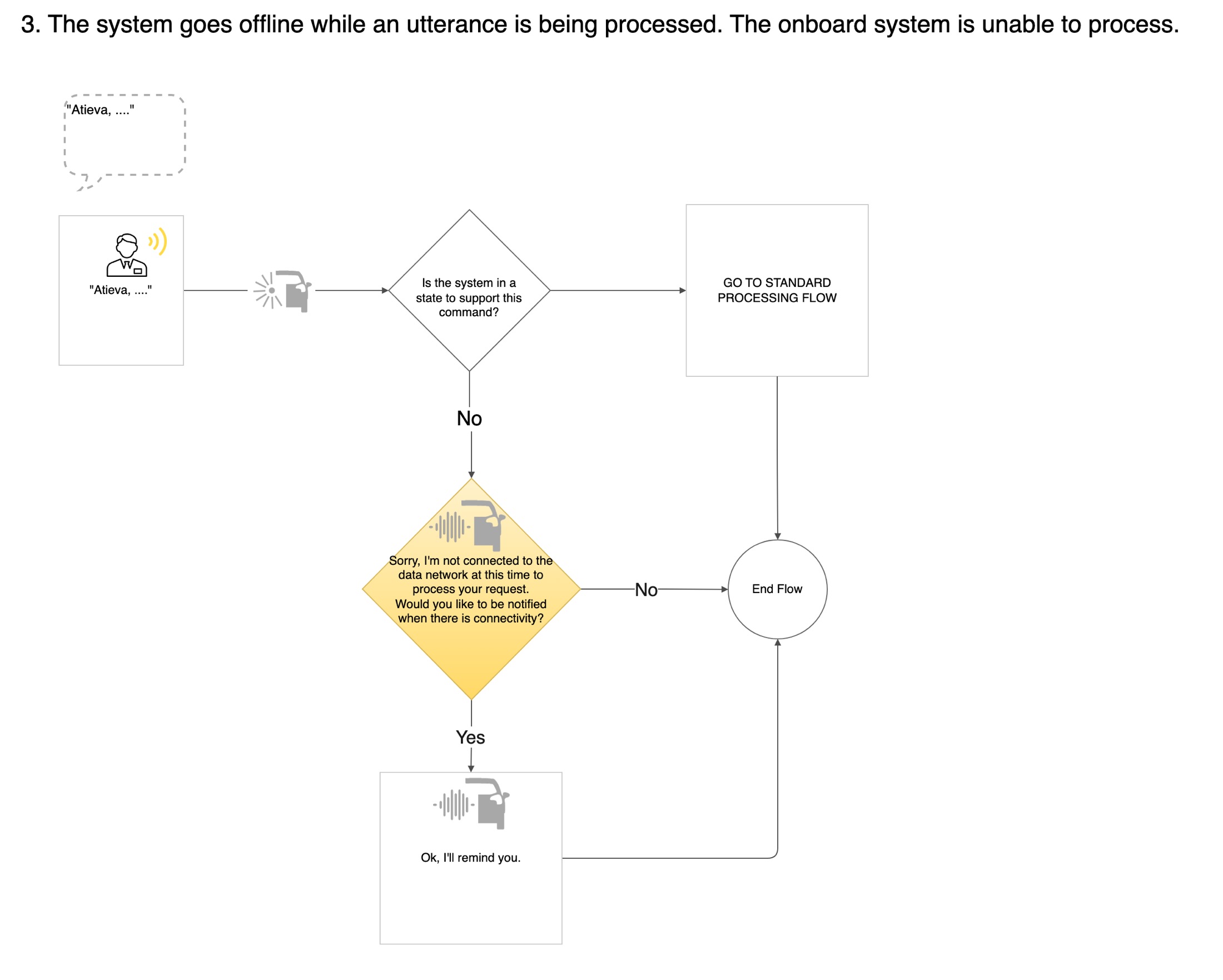
The system agent flows cover the moments between commands. The driver says the keyword and then nothing. The car doesn't recognize what was said. The car loses its data connection mid-request.
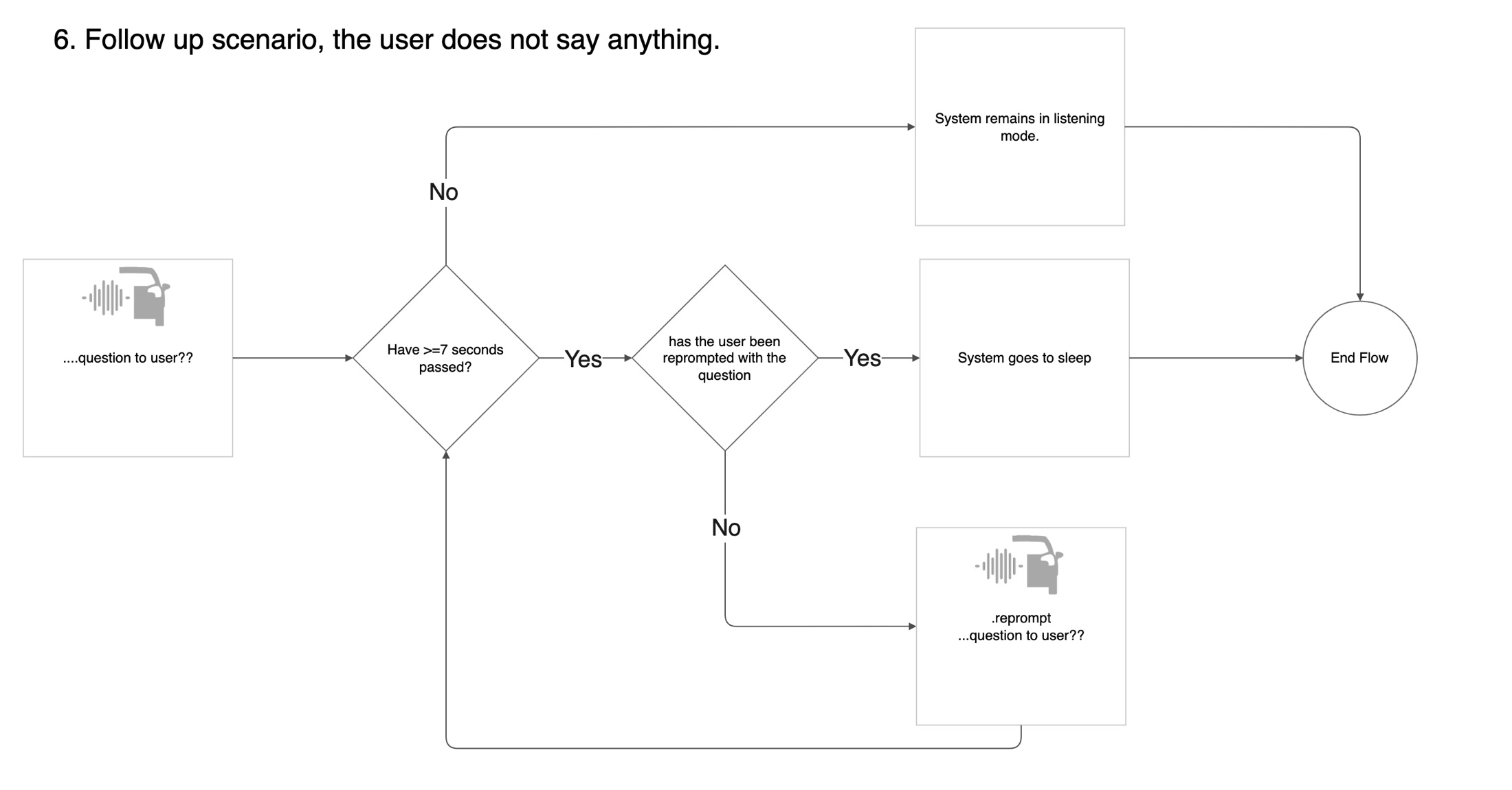
Each gets a plain answer. After 7 seconds of silence, an audible thud tells the driver the car has stopped listening. If it didn't understand, it asks once to repeat. If it's offline, it says so and offers a reminder when the connection is back.
Follow-up questions get one reprompt, then the system goes to sleep. Some calls stayed open. "Back" isn't supported, "can you repeat?" went to the client as an open item, and "what can I say?" was still blank.
05Outcome
A shared set of flows and the questions still to answer
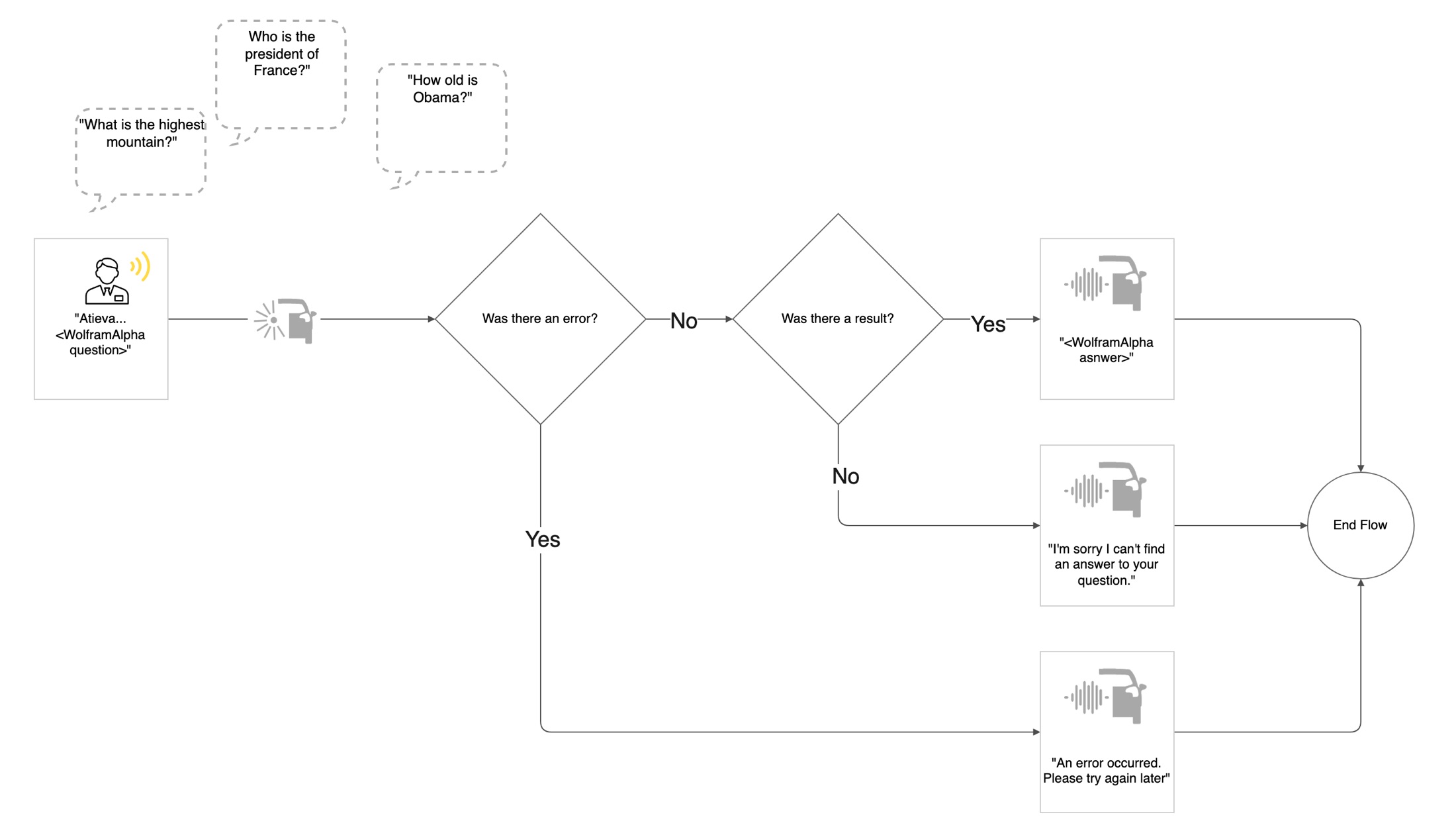
The work produced draft flows for climate, drive settings, global responses, the system agent and general questions answered through Wolfram Alpha, all on the same legend and screen map.
They were drafts, from 0.3 to 0.6, with open questions marked for the client. We don't know from the files which flows shipped in the car.