Case study · Independent, for my studio
An ad snapshot that builds itself in a minute
I designed and built a free snapshot that reads a business's live Meta ads, sets them beside nearby rivals', checks what AI assistants say about it, and makes three new ads it can buy on the page.
Try the snapshot- Role
- Designer and builder, solo, with AI
- Organization
- Independent, for my studio
- When
- Nov 2026, live
- Platform
- Astro site, AWS Lambda, the Meta Ad Library, Claude and Cloudflare
In short
- 01A small business can see its own ads but not how they compare, and an agency audit means a call, a contract and a wait.
- 02I designed and built an instant snapshot: a website and a ZIP code in, a private snapshot page out in about 45 seconds, with three new ads arriving about 25 seconds later.
- 03Every branch ends somewhere useful. No website, no Facebook page, no live ads or a daily limit each get their own screen, never a dead end.
- flow mapping · from the live screens
- proto-personas
- interaction design · progress and states
- information design · grades and sourced numbers
- building with AI · Claude Code
- serverless architecture · AWS Lambda
01Problem
Owners can see their ads, not how they compare
Meta's Ad Library shows any business's live ads, but nobody reads it side by side with the competition. Owners guess whether their ads are stale, and the usual answer is an agency audit: a call, a proposal, a week.
My studio needed a first conversation that was useful on its own, with nothing to book and nothing to sign.
02People
Three people, three paths through the same flow
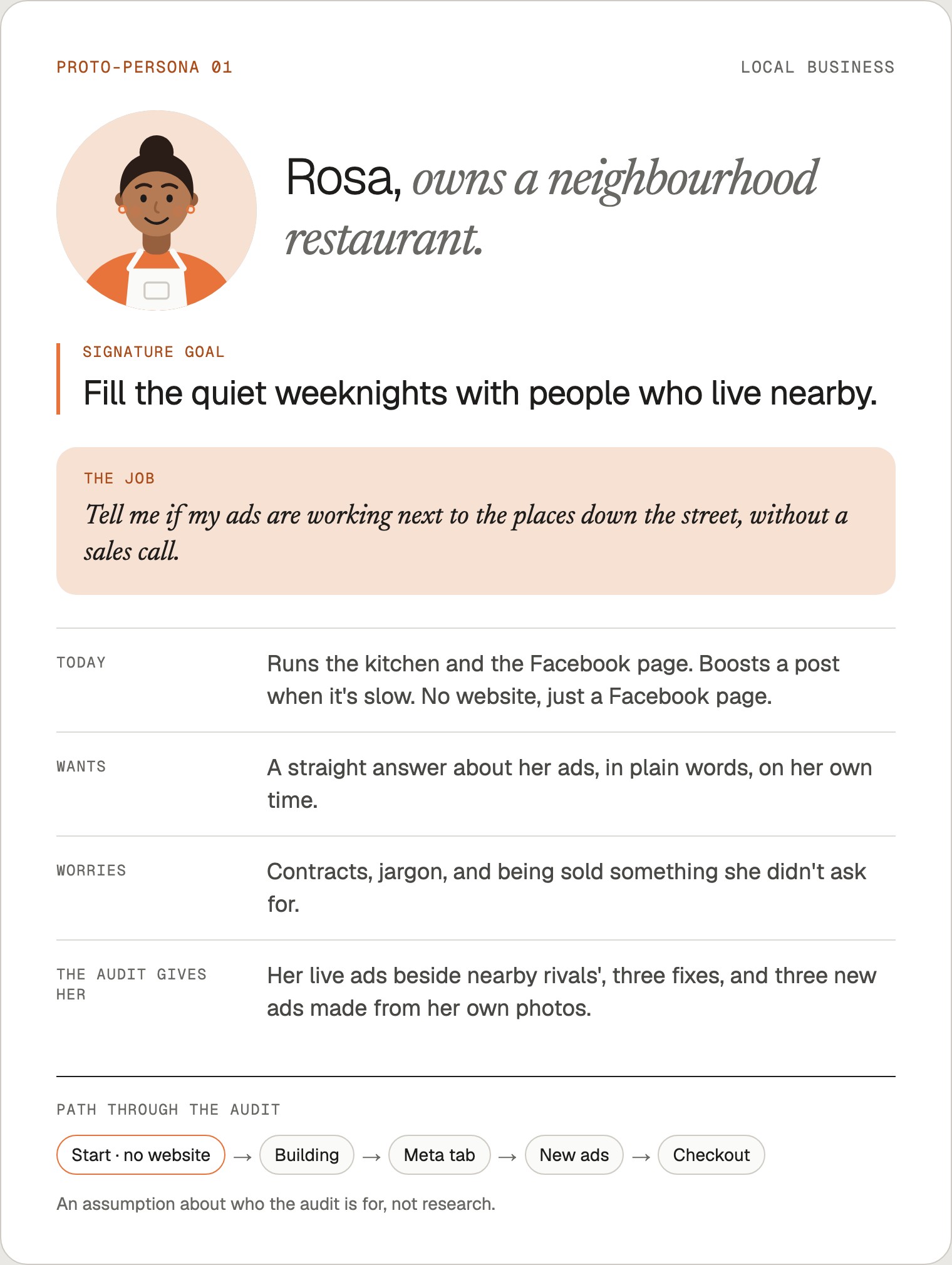
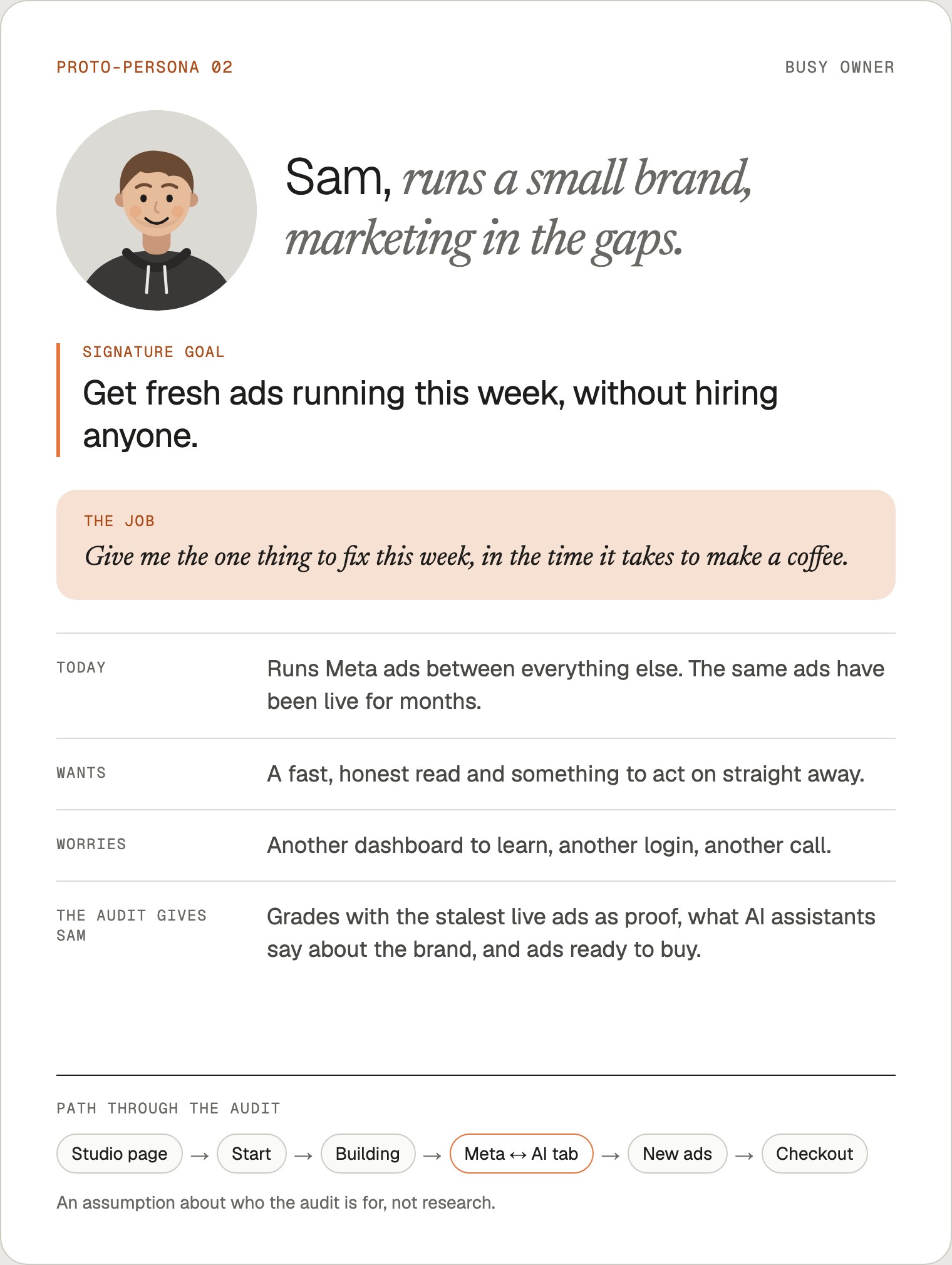
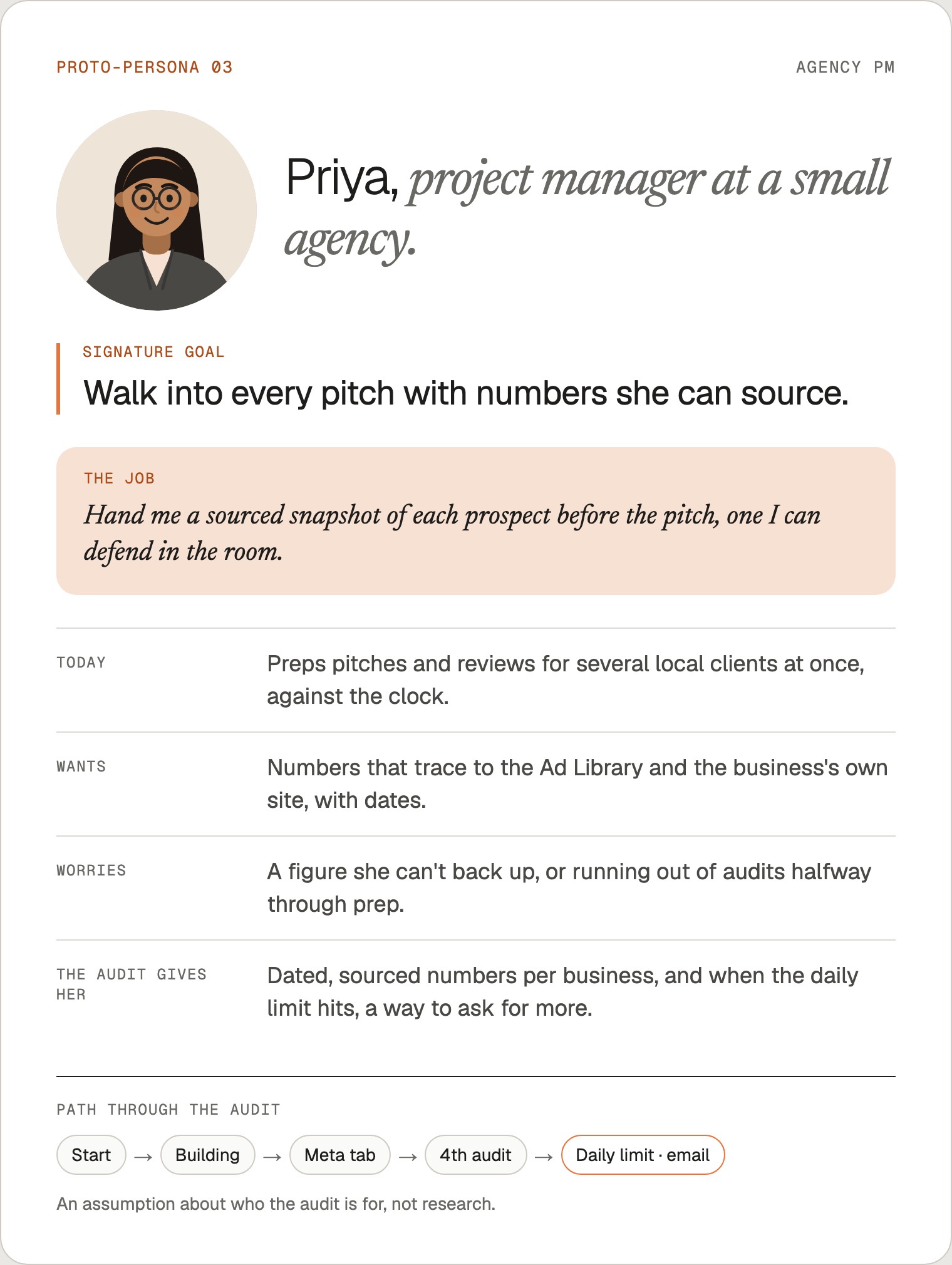
I wrote three proto-personas before laying out the screens: a restaurant owner with only a Facebook page, a founder doing marketing in the gaps, and an agency project manager prepping pitches. They're assumptions about who the snapshot is for, not research, and each card says so. Each has one signature goal the snapshot has to serve.
Each one takes a different branch. Rosa needs the start form to work without a website. Sam moves between the Meta and AI tabs and buys. Priya runs several snapshots in a row and reaches the daily limit, so that screen has to offer a way forward.
03Flow
One main path, and no dead ends
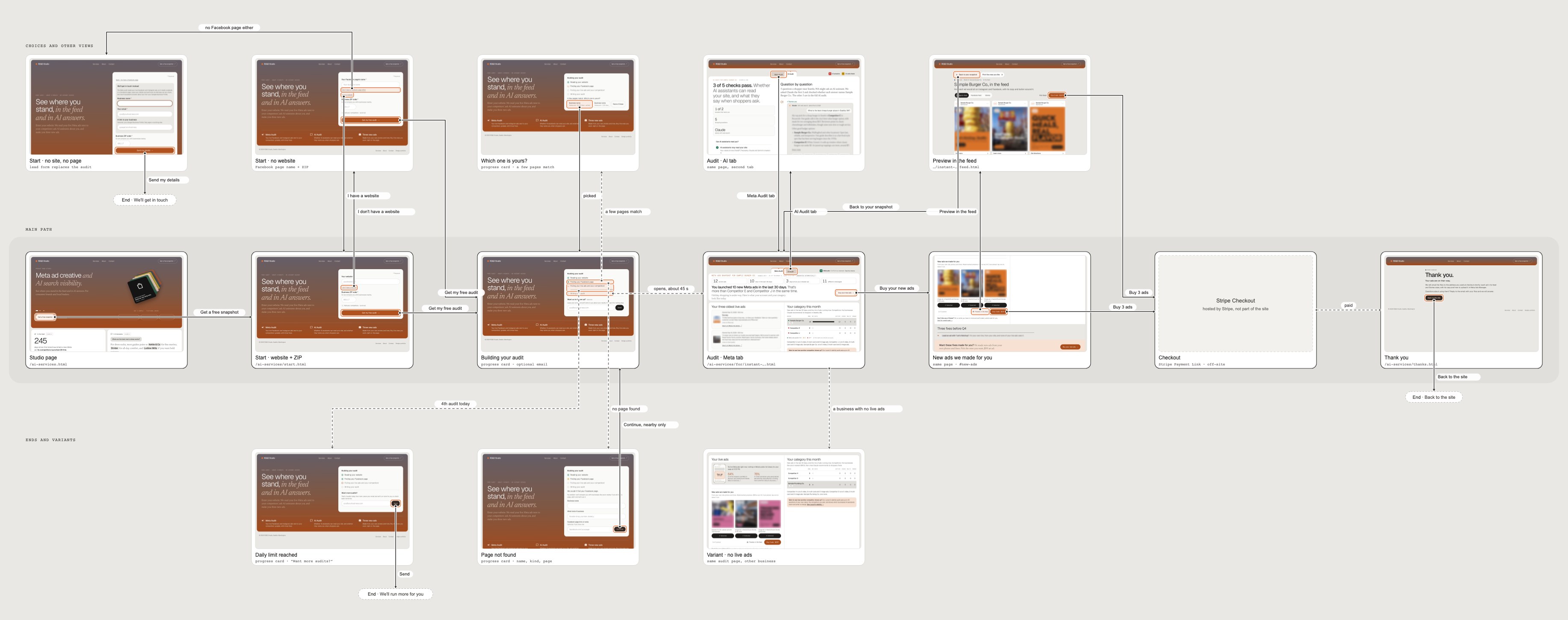
The main path is seven screens: the studio page, the start form, the build, the snapshot, the new ads, checkout and a thank-you page. Choices sit above it and endings below.
I mapped the flow from the live site rather than from sketches: each arrow leaves the element a visitor actually uses, outlined in orange, and lands on the screen it opens. Dashed arrows are the steps that happen on their own while the snapshot builds.

04Start
Two fields, and a way in without either
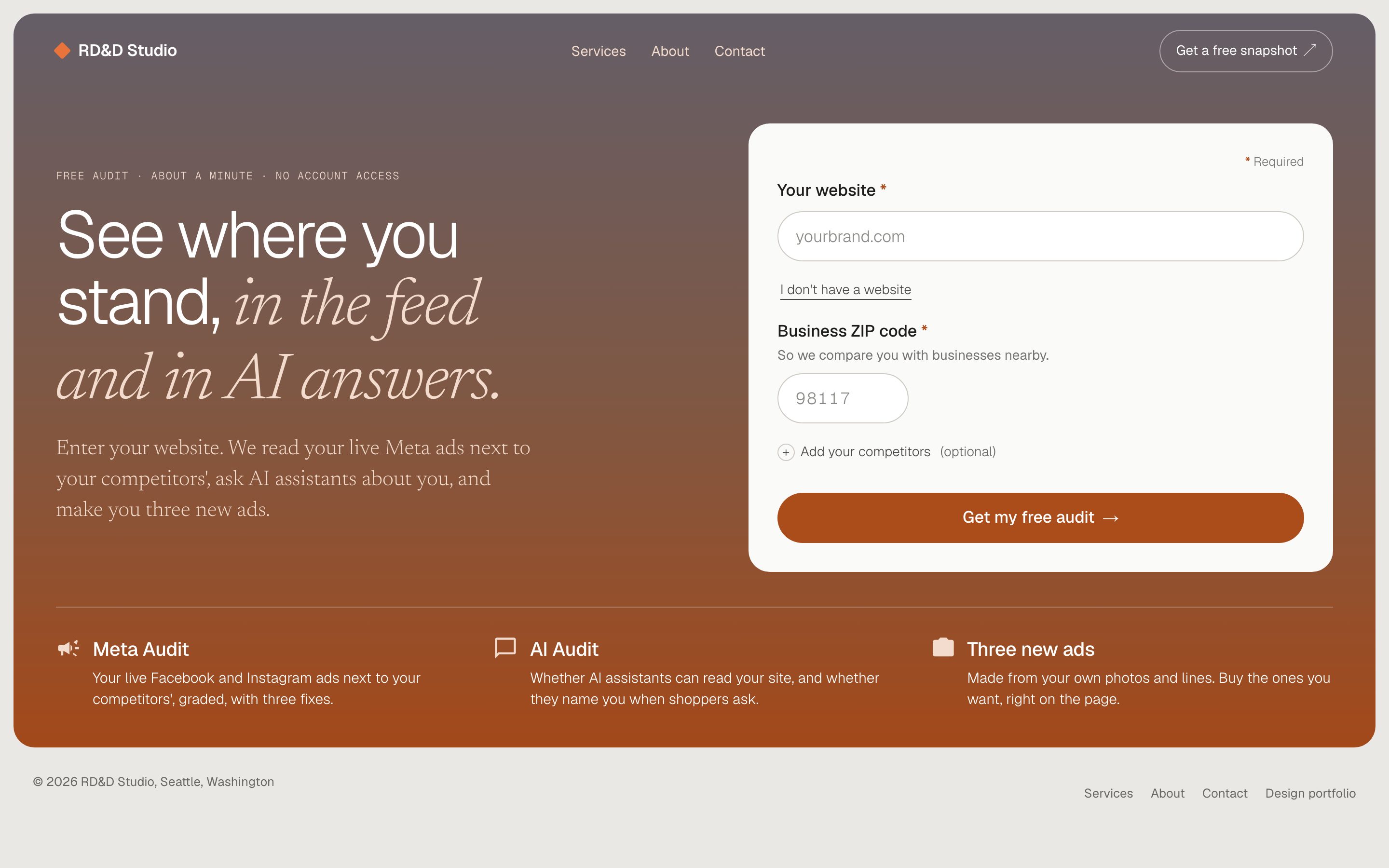
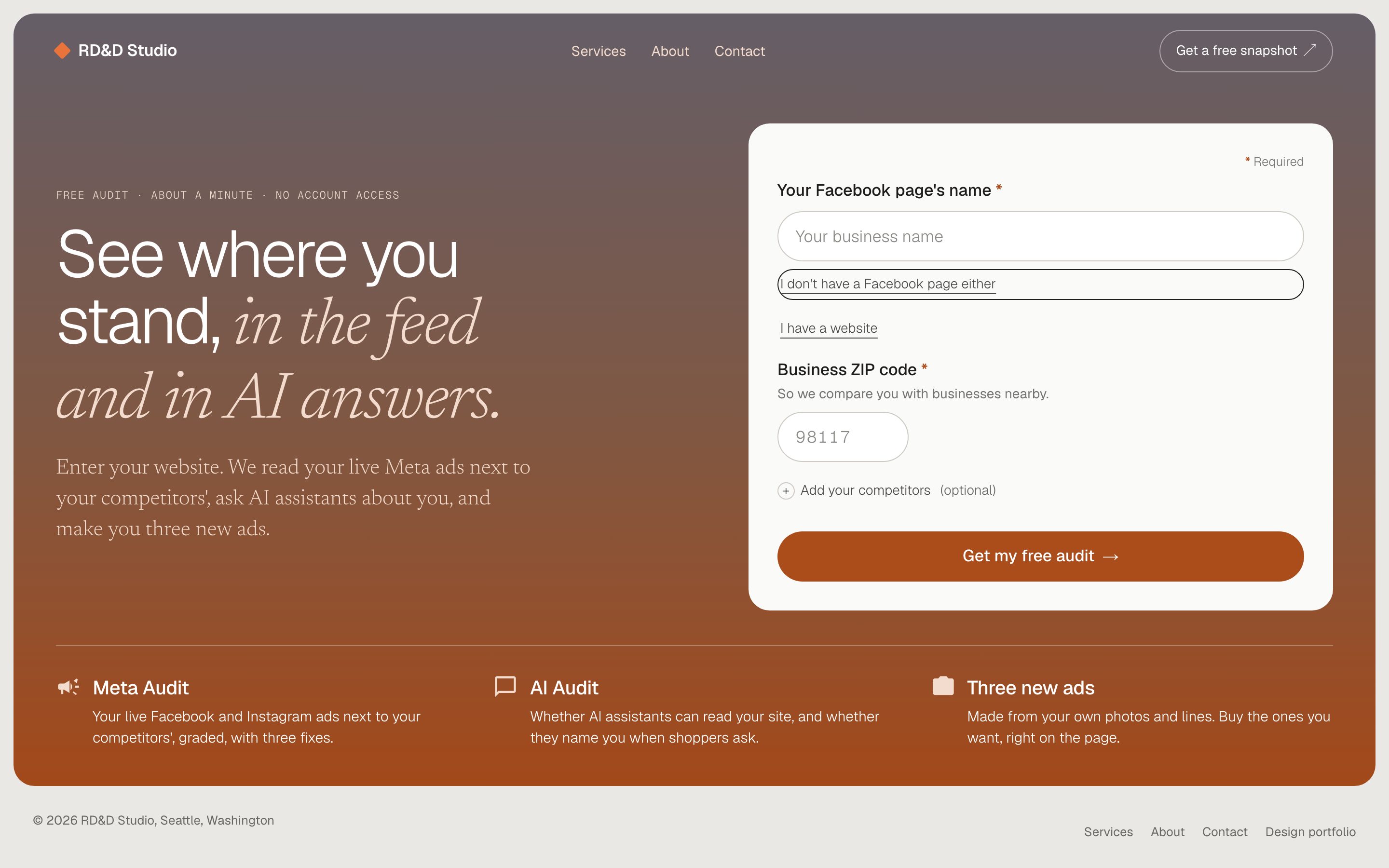
The form asks for a website and a ZIP code. The ZIP is required and sits up front: without a place, the questions go national and so do the competitors.
"I don't have a website" swaps the field for a Facebook page name. "I don't have a Facebook page either" turns the form into a short request to get in touch, because the Meta snapshot has nothing to read without one.
05Page first
Show the page, then let the slow part arrive
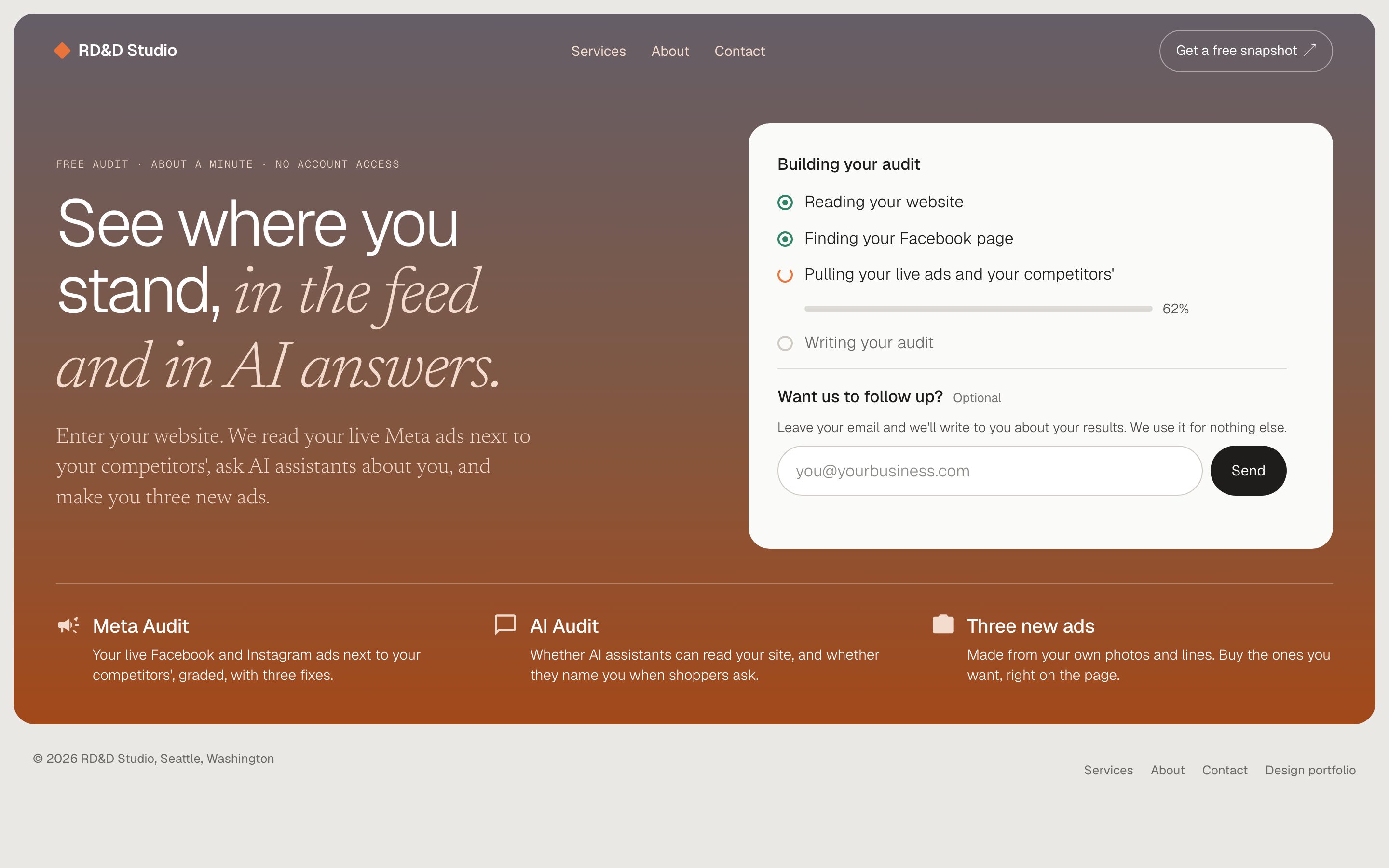
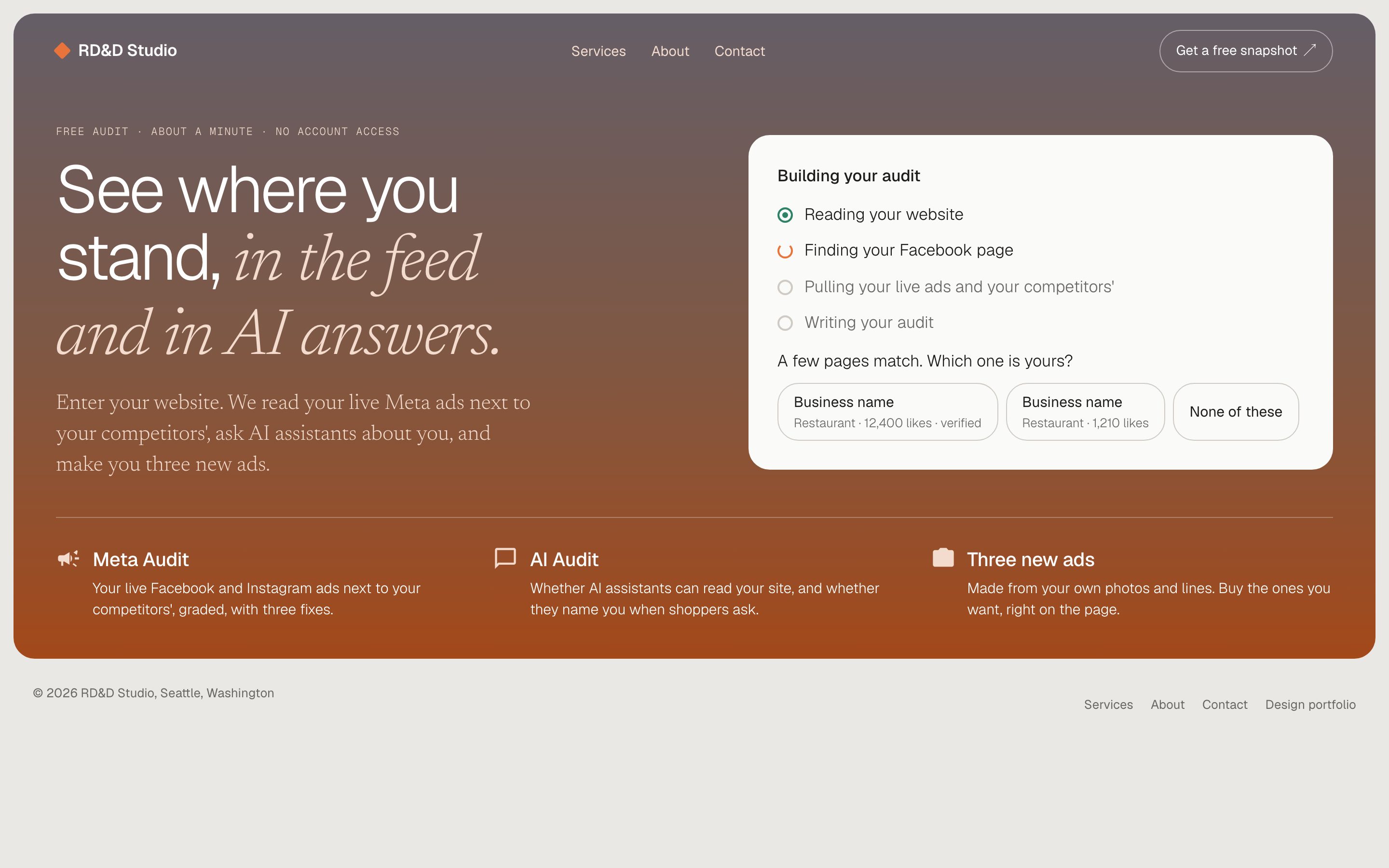
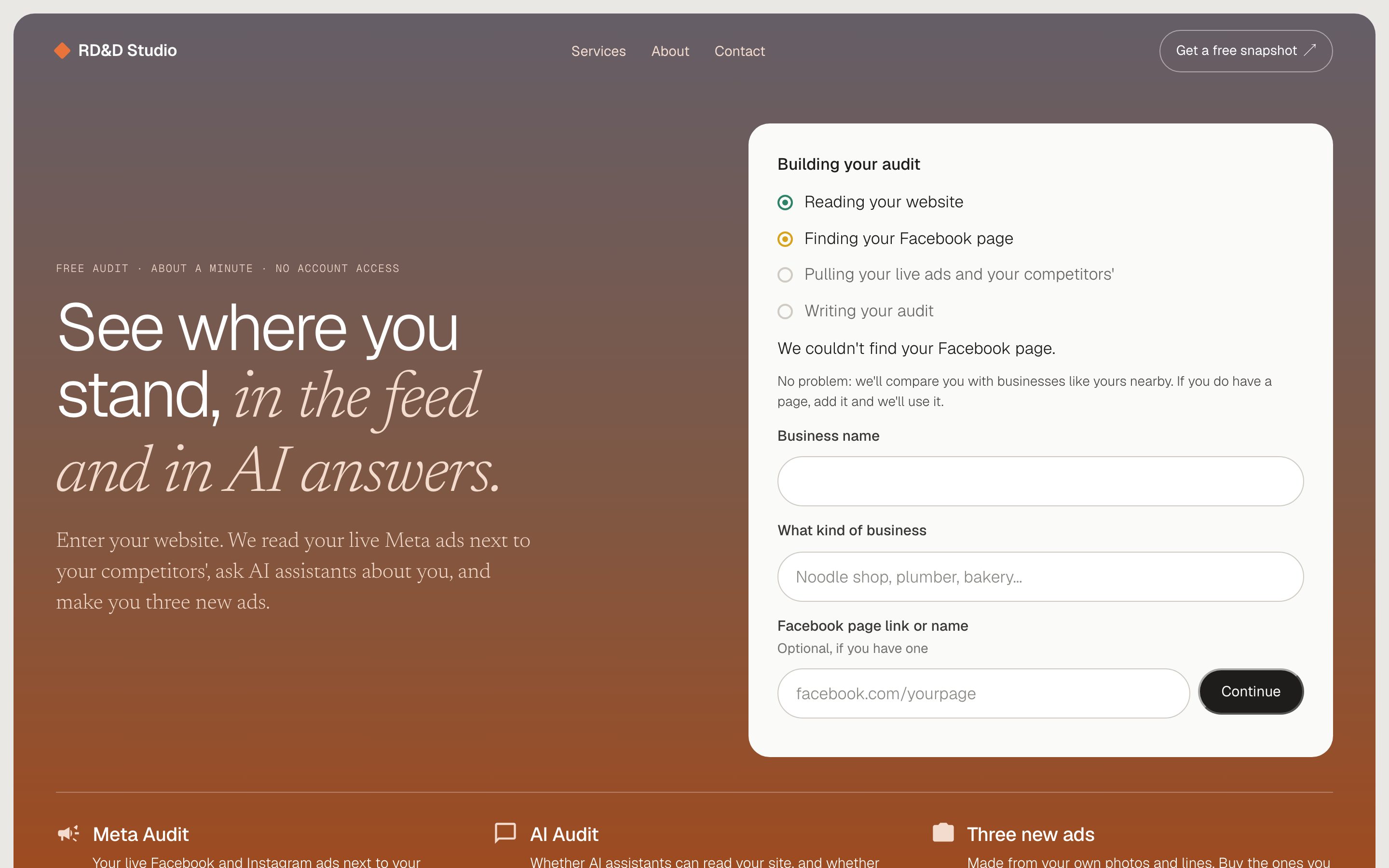
Reading a website, finding the right Facebook page and pulling live ads takes time. The progress card names each step as it happens, and an optional email field gives the wait a use.
The snapshot page opens as soon as it's written, with a placeholder where the new ads go. They arrive about 25 seconds later and the open page fills them in. If several Facebook pages match, the card asks which one is theirs; if none does, the snapshot carries on with businesses like theirs nearby.
06The snapshot
Their ads beside their rivals', and what AI says
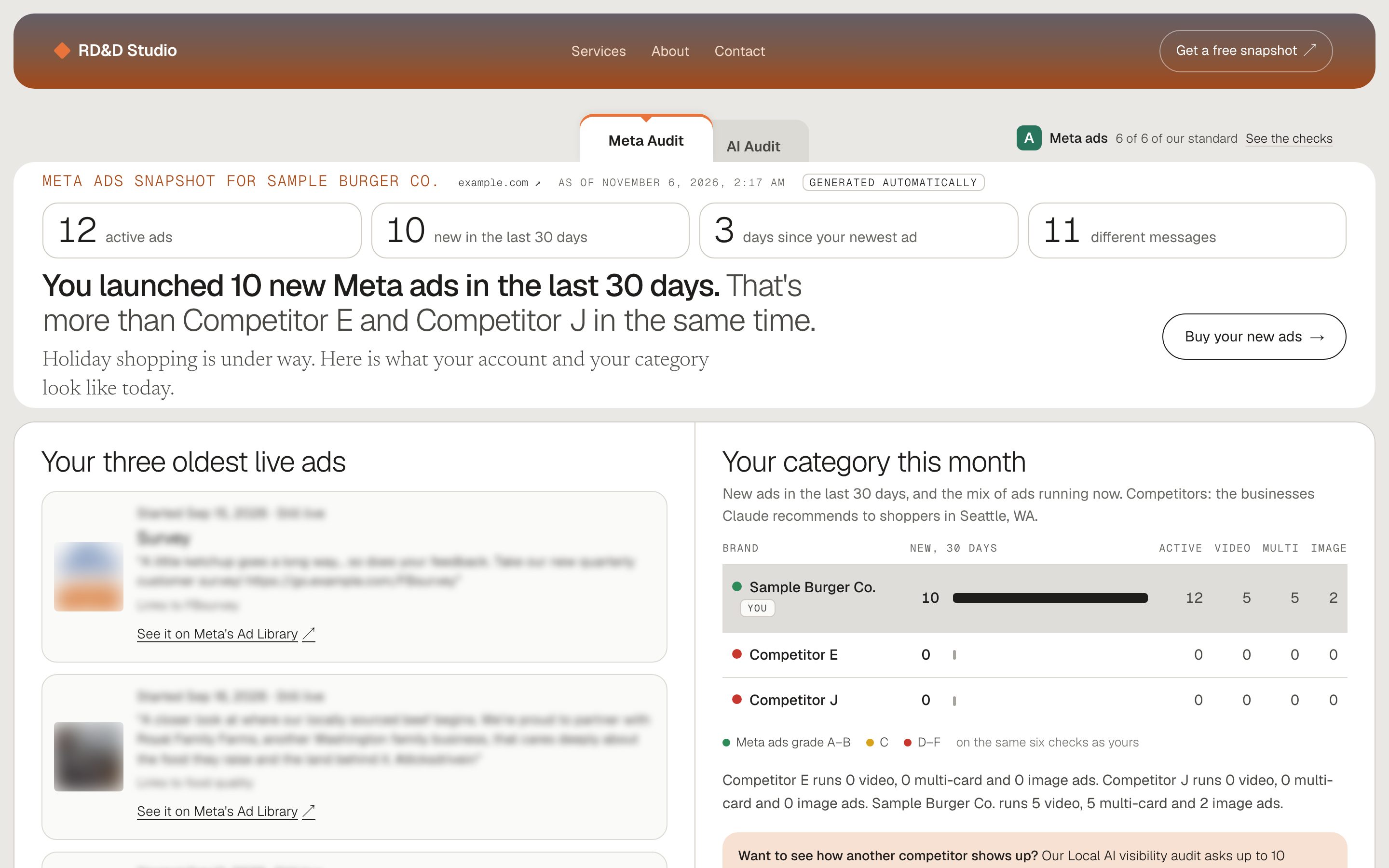
The Meta tab leads with one finding and four numbers, then shows the business's three oldest live ads, the evidence of staleness rather than a showcase, beside a table of nearby rivals and their new ads in the last 30 days. Grades come from published checks, and every number traces to the Ad Library or the business's own site.
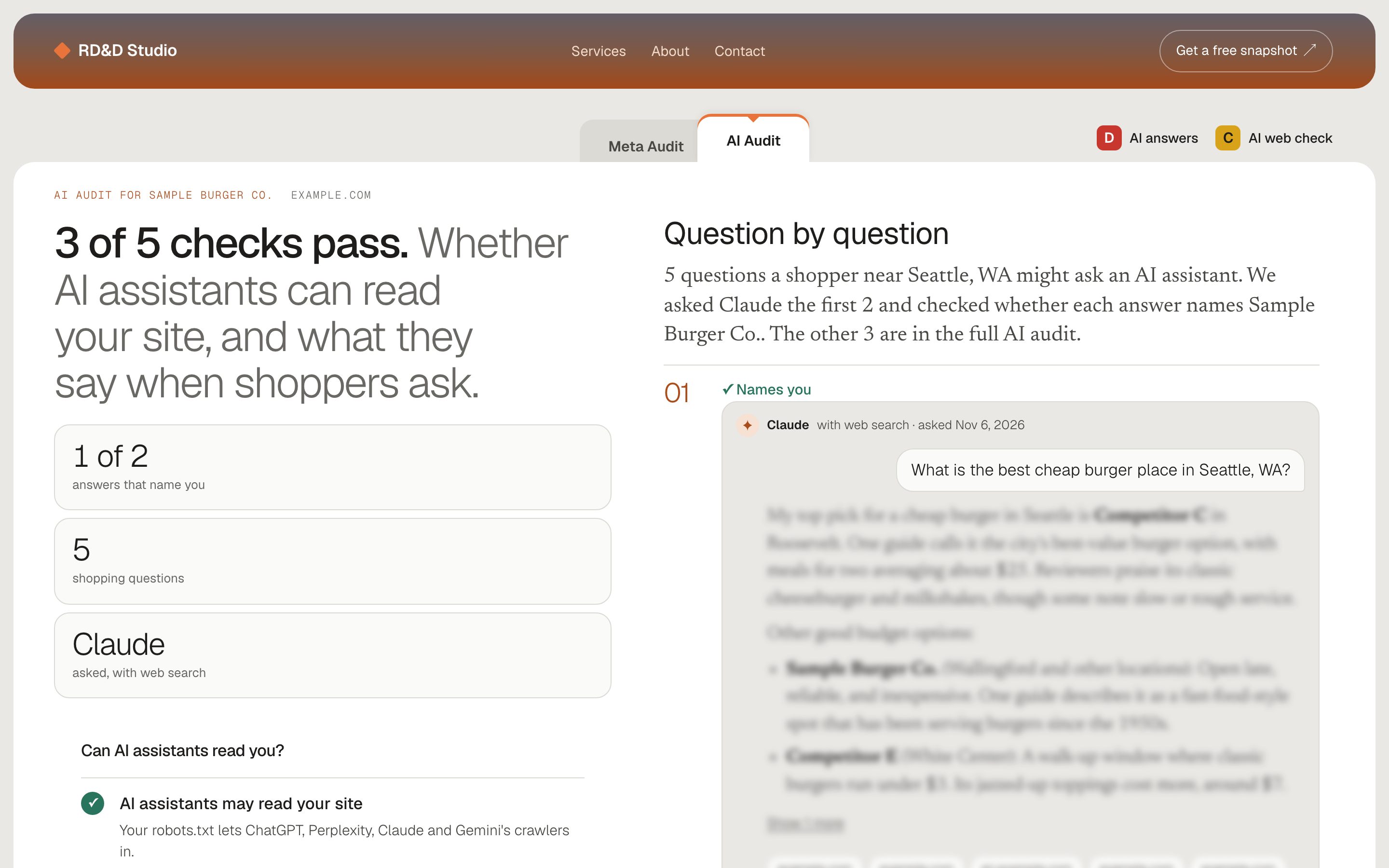
The AI tab asks the questions a shopper nearby might ask an AI assistant and records whether the answer names the business, plus whether assistants can read the site at all.
07New ads
Three ads made from their own photos and words
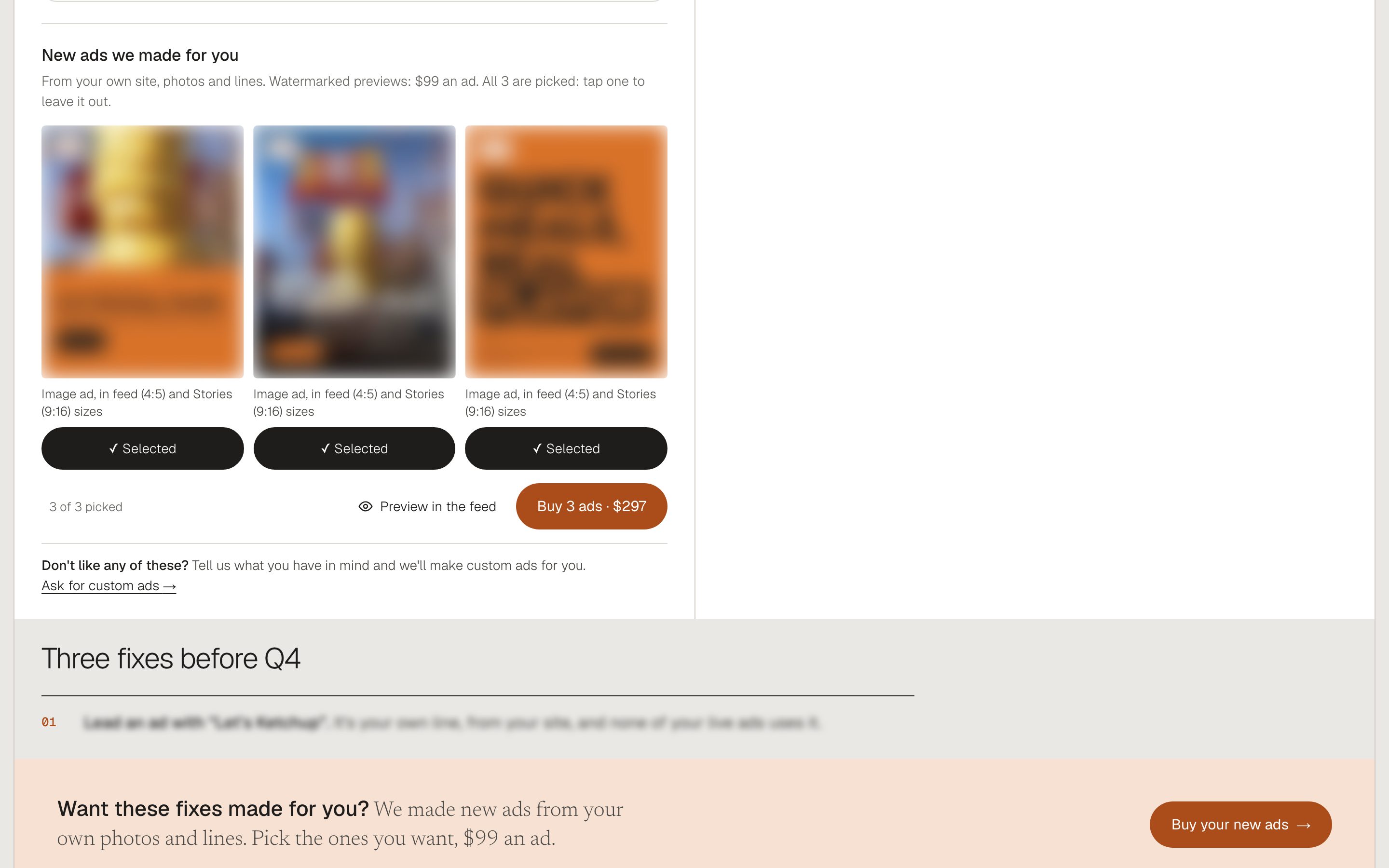
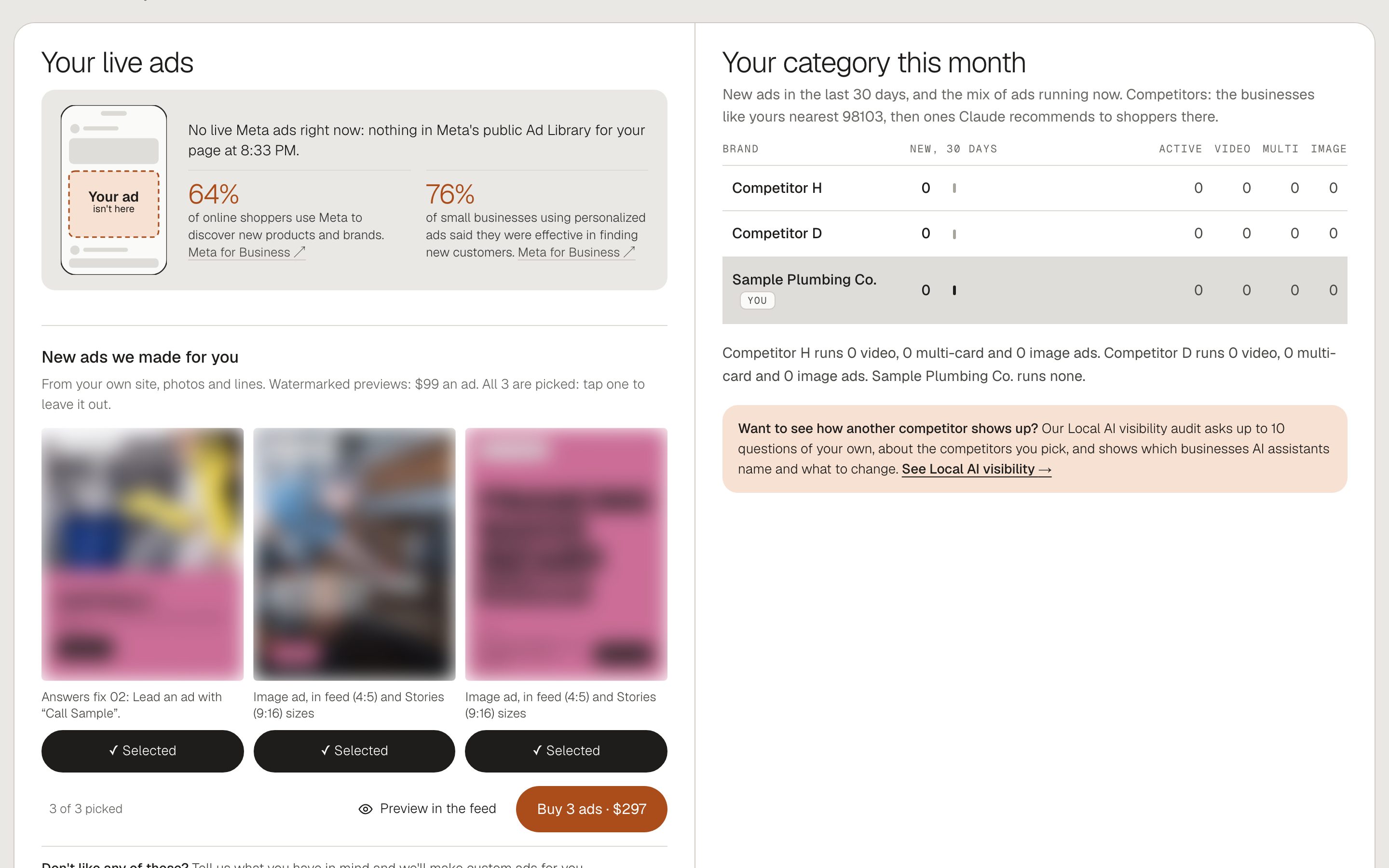
Each snapshot ends with three new ads built from the business's own site, photos and lines, shown as watermarked previews. Owners pick the ones they want and buy them on the page, with no call.
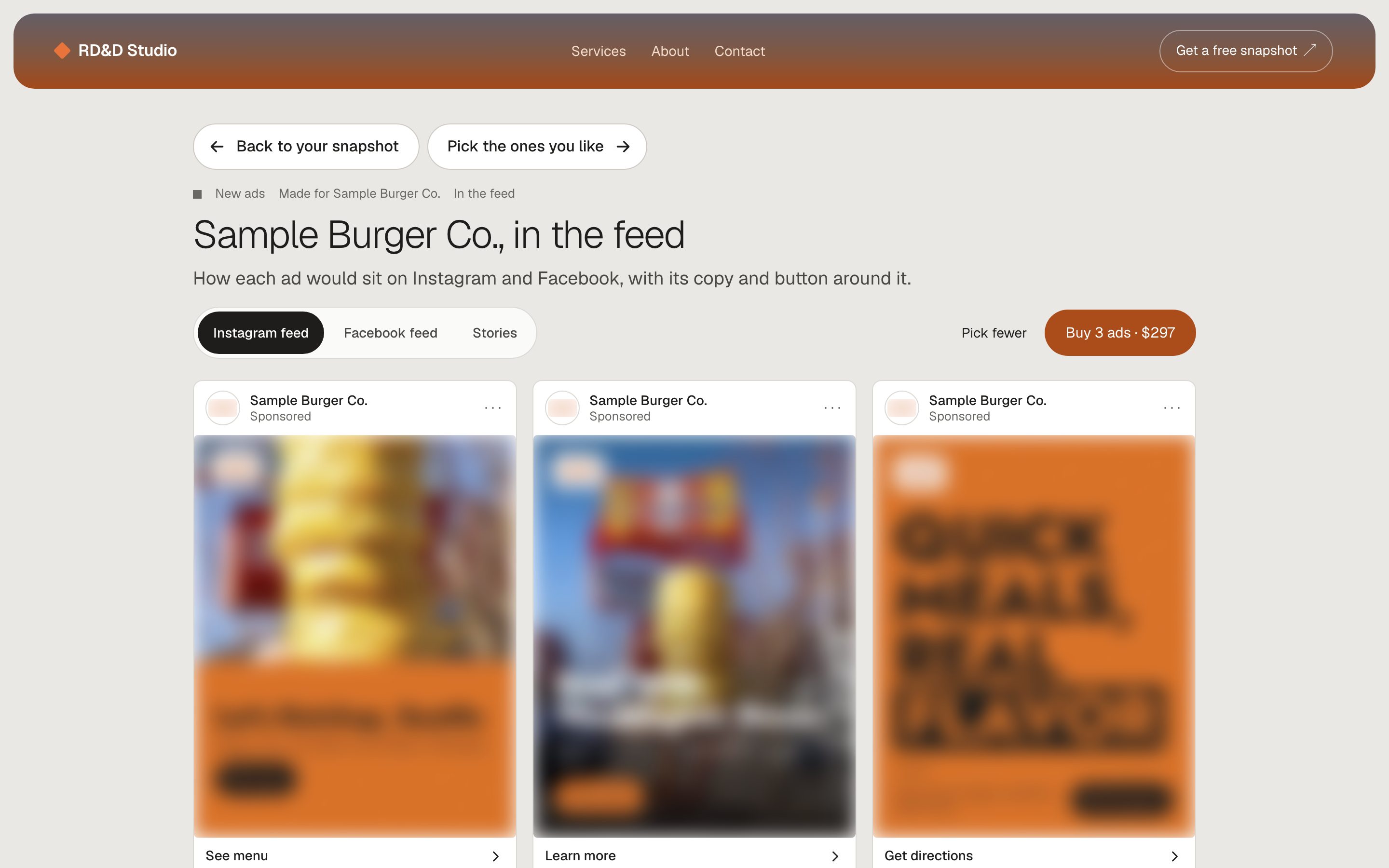
"Preview in the feed" shows the picks as they'd sit on Instagram and Facebook. Checkout is a Stripe Payment Link, and the thank-you page says what arrives and how.
08Ends
Every dead end became a screen
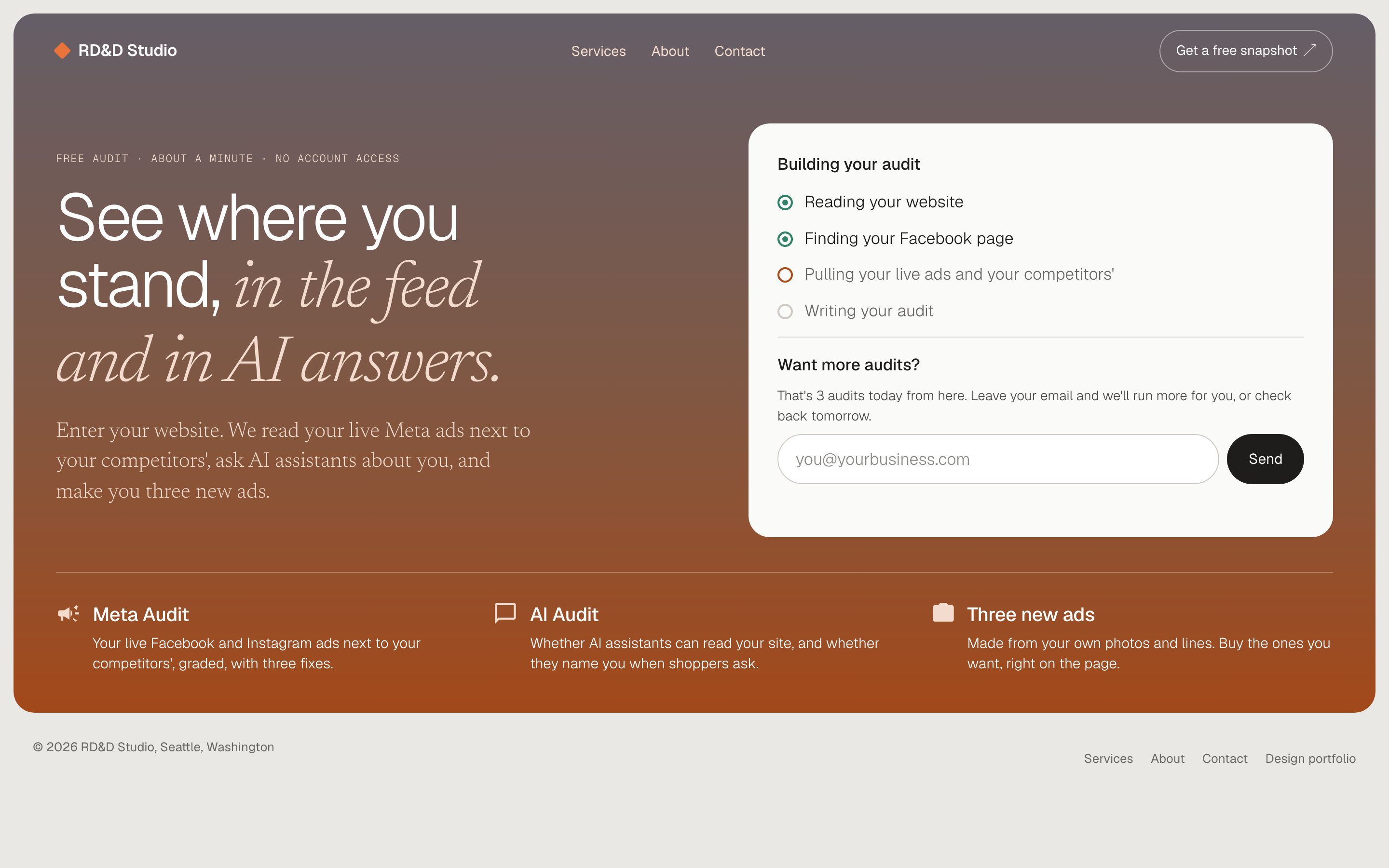
No Facebook page found: a short form for the name and kind of business, and the snapshot goes on without one. A business with no live ads gets a page about its rivals' ads and where to start. The daily limit is a question, "Want more snapshots?", with an email field, not an error.
09Guardrails
Free to use, and cheap to leave running
A free tool on the open web needs limits built in. Each visitor gets three snapshots a day; Claude stops for the day once it has spent $5; generated pictures are capped, with an email to me when they run low. Two snapshots build at once, and the rest wait their turn.
The pages are private by design: an unguessable address, noindex, linked from nowhere. Every number on them traces to the Ad Library or the business's own site.
10Where it stands
Live, and early
The snapshot went live in November 2026. It's too early for usage numbers, so there are none here.
11System
One style system, drawn as a spec sheet
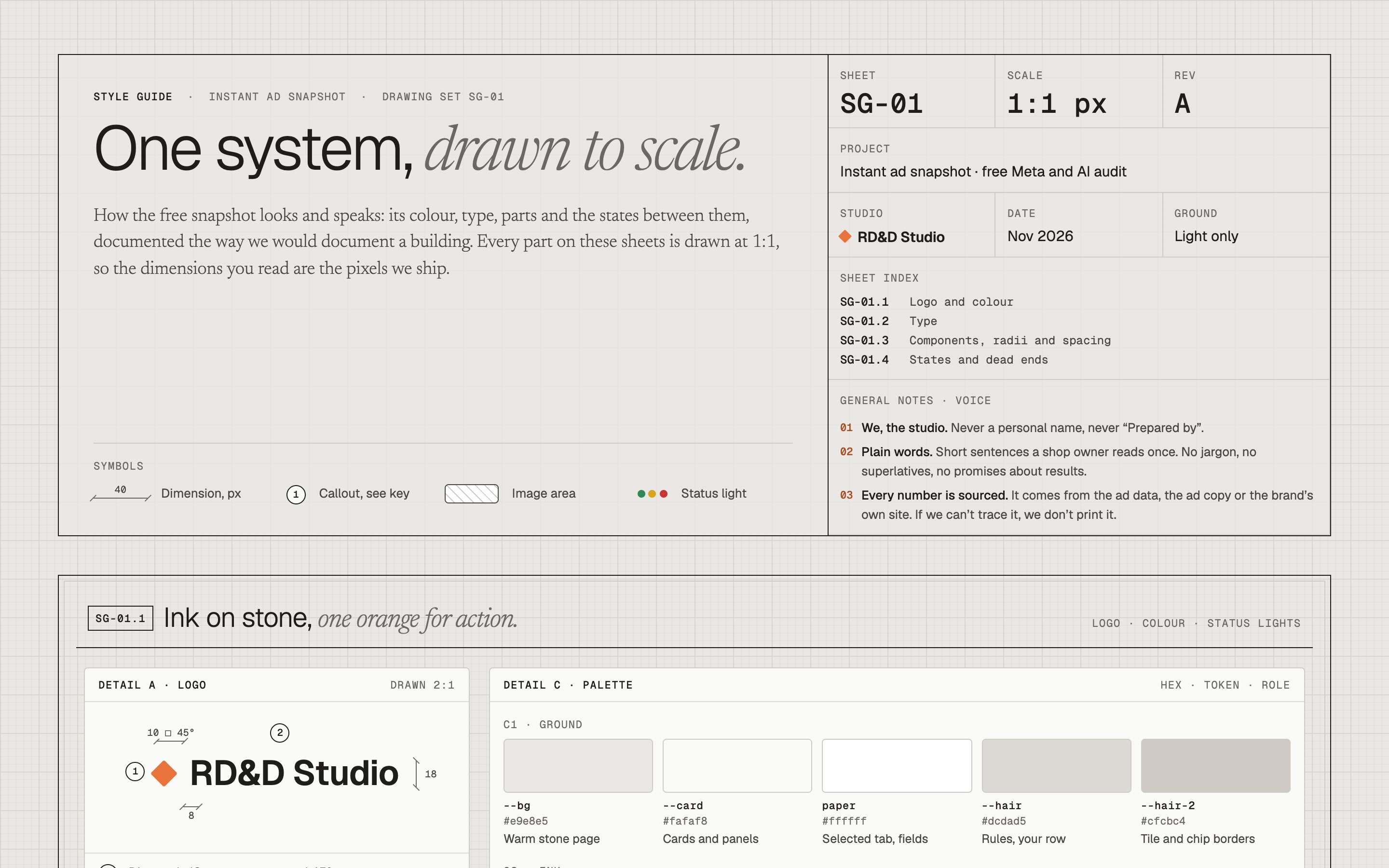
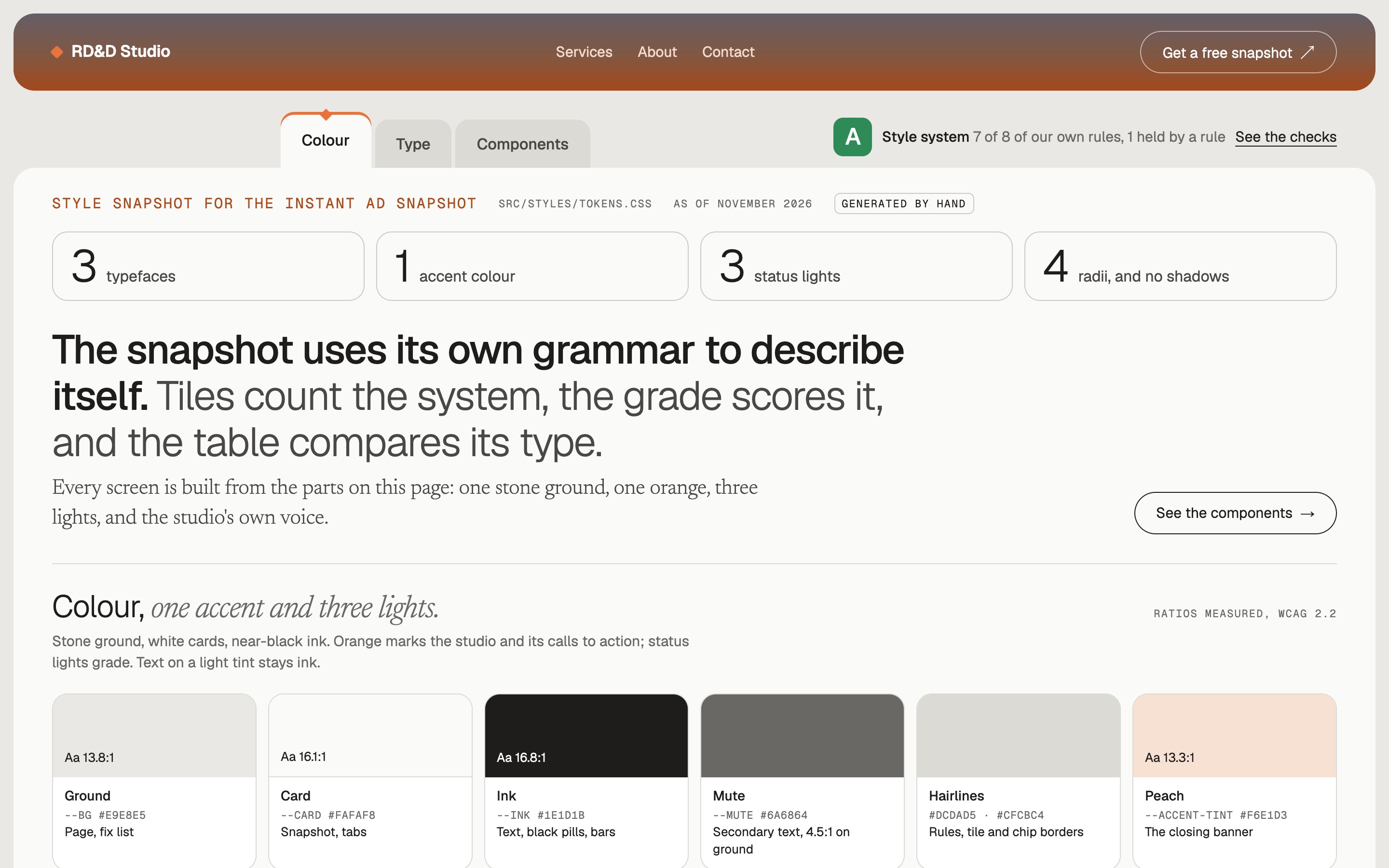
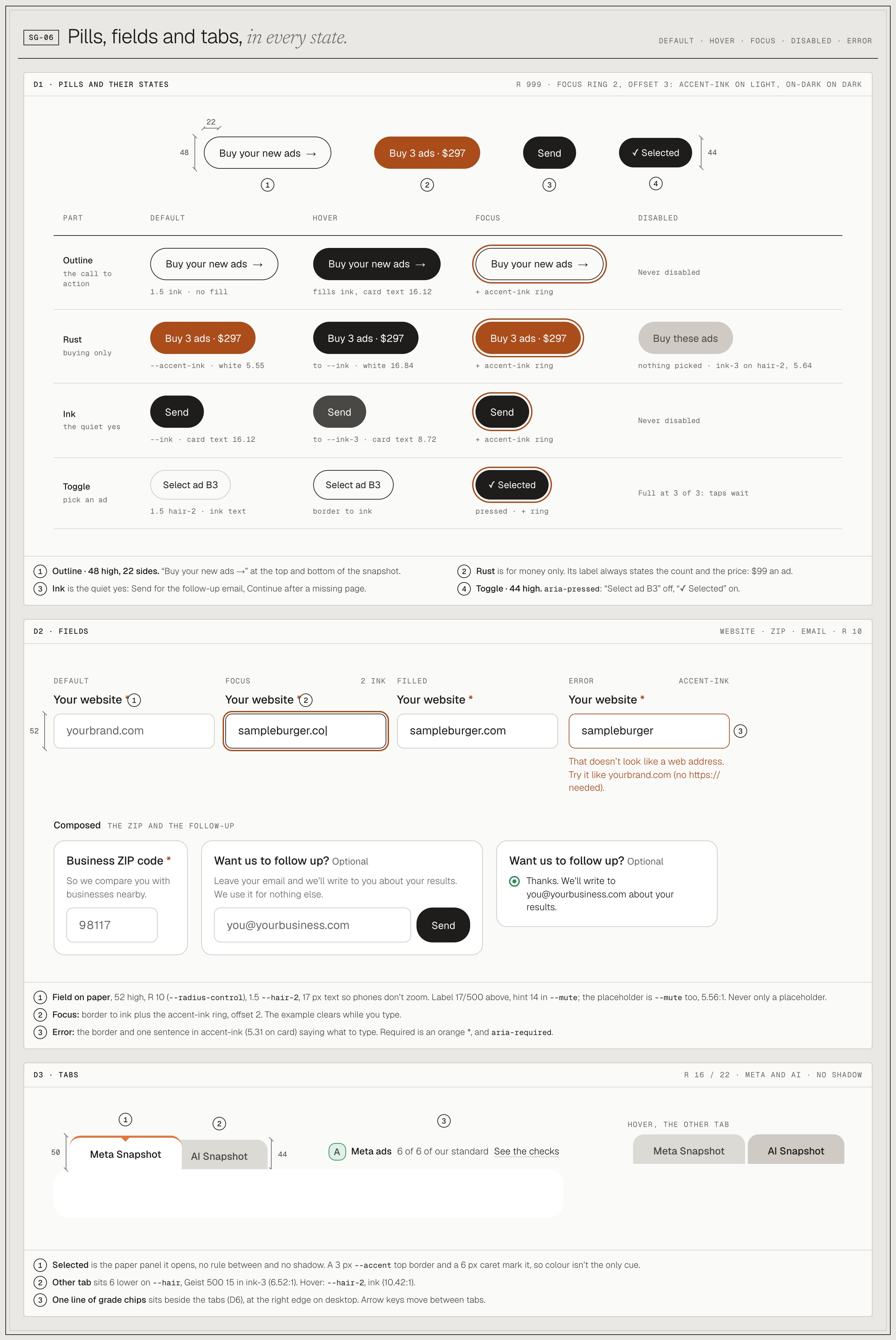
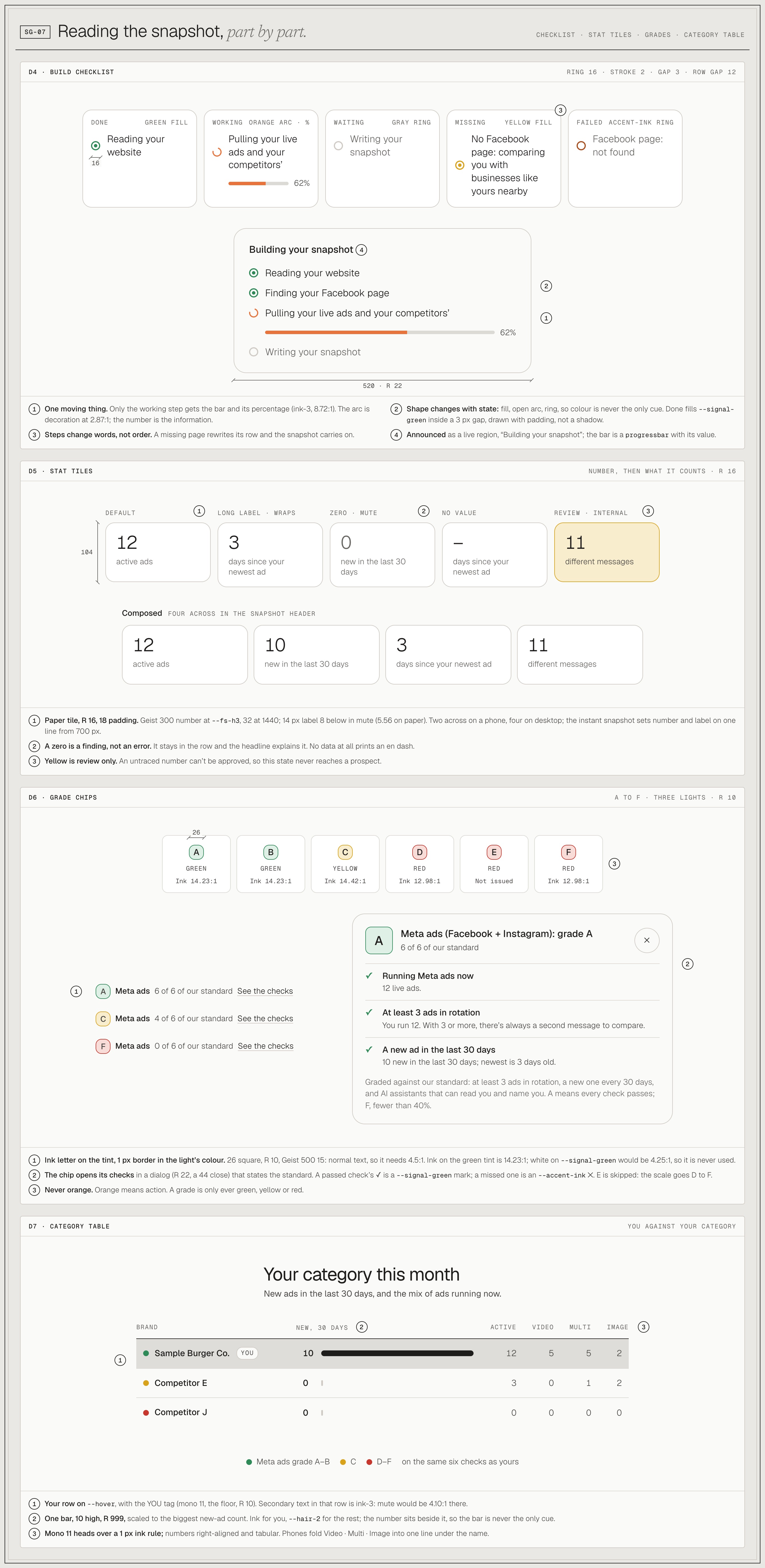
Writing the style guide down showed how much the pages had grown: about 45 colours, 50 text sizes and 20 corner sizes for a handful of pages. I cut them to 23 colours, 8 sizes and 5 corners, with no shadows, then drew the result like a building set: every part at 1:1, every state, every contrast ratio measured.
See the full style guide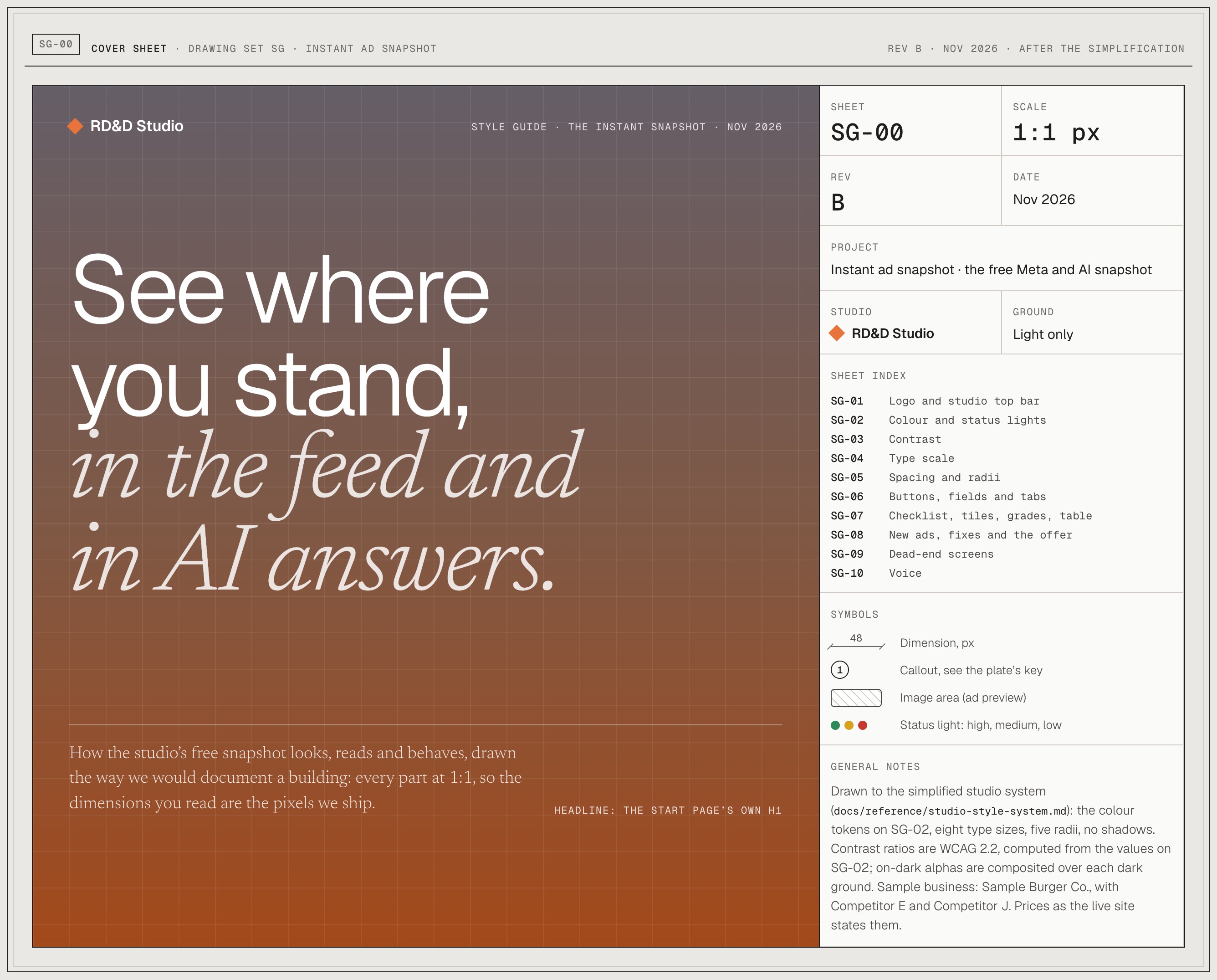
12Exploration
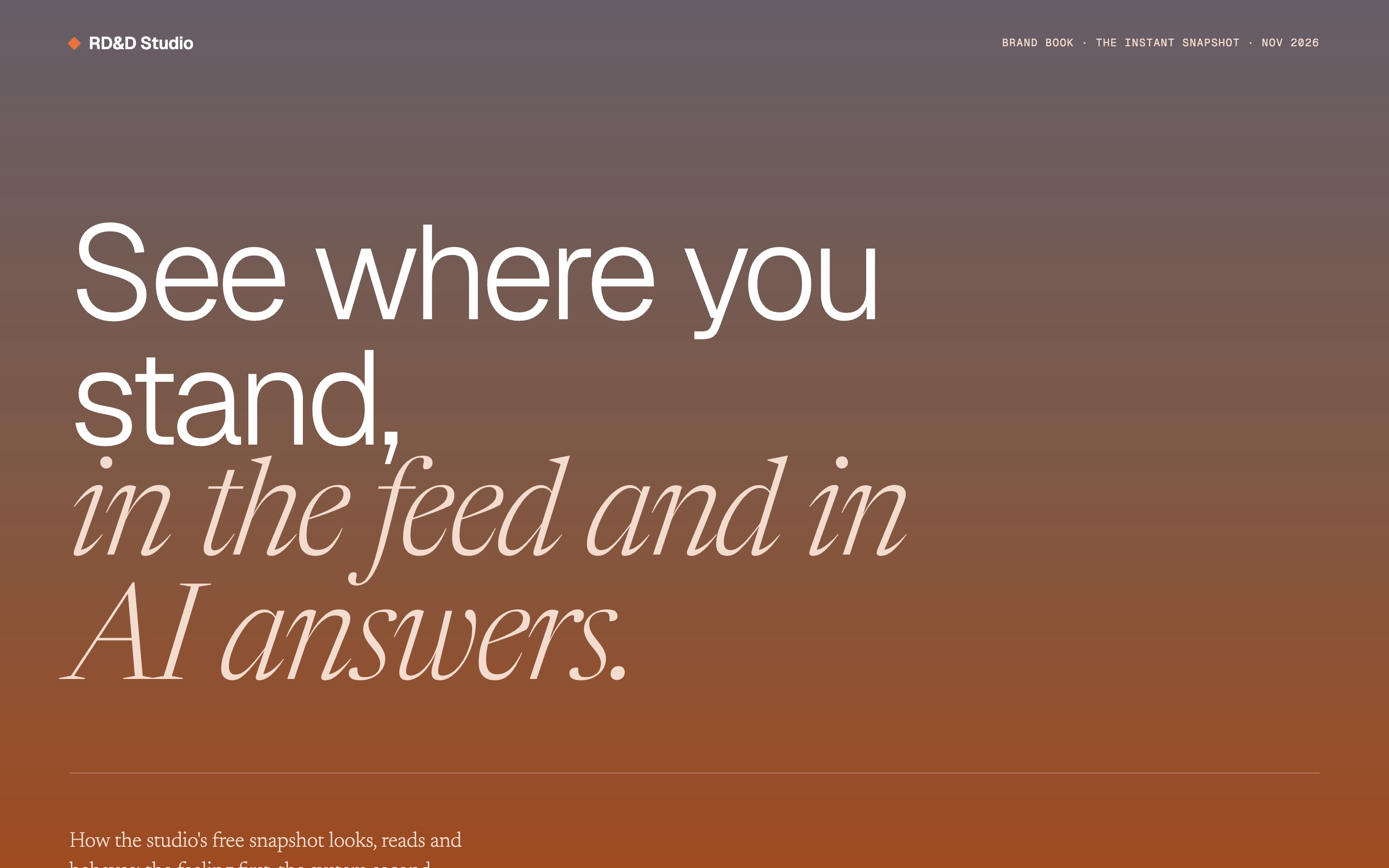
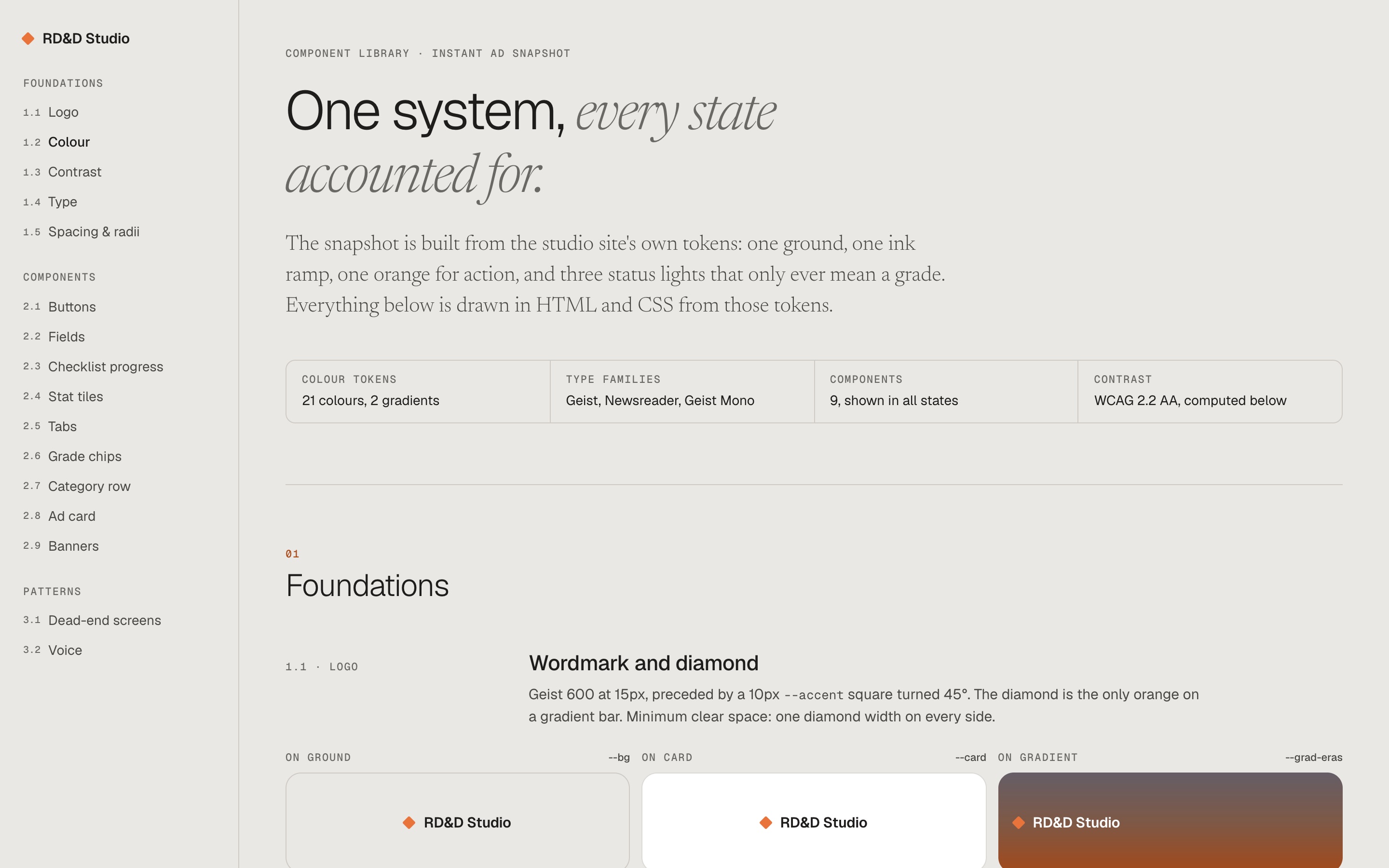
Four ways to document the system
Before settling the style guide, I tried four ways to write it down: a drawing set, a brand book, a component library, and the guide set out as a snapshot of itself. The final guide keeps the parts that worked from each, drawn as a spec sheet.